

The short version: Porch pickup turns into a real sales channel when you run it like a small shop: a set pickup day, a menu with an order cutoff, payment taken when the order is placed, and a weekly order number you plan around. Of the 18 porch pickup spots we found on live Homegrown storefronts on October 14, 2026, 14 ask for about one to three days of notice, and 4 of the 15 vendors whose porch spot runs every week open it just one day a week. Before you leave orders out with nobody home, read your state's wording, because Texas says online cottage food orders must be personally delivered by you, an employee or a household member, and Michigan says an online order needs a chance for the customer to talk with you before the sale. Homegrown runs porch pickup for $10 a month billed annually with no commission and 2.9% + $0.30 card processing, while Hotplate has no subscription, adds 5% + $0.55 to the customer's order by default and still charges you 2.9% + $0.30 card processing; Homegrown has no drops feature.
Checked on Homegrown's signup page, Hotplate's pricing page and the Texas DSHS and Michigan MDARD cottage food pages, October 14, 2026. Customers create a Homegrown account to place a first order, and you should plan on most orders coming from people you send to your own link.
Porch pickup often starts as a favor. A neighbor asks for a loaf, you leave it in a bag by the door, and they send you money later. That works for three orders. At fifteen orders it turns into a pile of texts, a bag nobody claimed and a Saturday you never got back.
The fix is not working harder. It is treating your porch the way a shop owner treats a storefront: open on a set day, with a menu, a cutoff, prepaid orders and a number you are aiming for each week. Run that way, porch pickup can earn more per hour than a market booth, because there is no booth fee and you are not standing at a table for four hours.
This guide covers the money, the rules, the setup and the weekly habits. For the platform side alone, the comparison of platforms for porch pickup orders goes deeper on each tool.
Porch pickup becomes a sales channel when it has four parts that run every week without you deciding them again: a fixed pickup day and window, a public menu with a cutoff, payment at the time of order, and a weekly order target. Without those four, it is a convenience you offer friends. With them, it is a line in your business you can grow, measure and plan your baking around.
Here is what each part does for you:
The difference shows up in your week. A favor-based porch has orders arriving any day, by any app, at any hour. A channel-based porch has one stretch of baking, one stretch of bagging, and a window when everything leaves.
If you already know you want firm windows, the guide to building a pickup schedule that does not take over your life has word-for-word replies for customers who ask for a different time. The rest of this guide is about the parts that make the porch pay: the numbers, the rules and the setup.
In the worked example below, porch pickup keeps about two and a half times as much per hour of work as a market day, $152.59 against $61.75 (about 1.2 times if you count a 3-hour pickup window as work time), because there is no booth fee and no four-hour shift behind a table. A market still wins on one thing: strangers walk past your booth. Your porch only gets the customers you bring.
Here is a worked example. The inputs are made up to show the math, so swap in your own. Say you sell $480 in a week either way, at an average order of $24.
Scroll sideways to see every column.
| Line in the example | Porch pickup week | Saturday market day |
|---|---|---|
| Sales | $480 (20 prepaid orders of $24) | $480 (half cash, half card) |
| Booth or space fee | $0 | $40 (example booth fee) |
| Card fees | $19.92 (2.9% + $0.30 on 20 orders on Homegrown) | $7.74 (Square in person, 2.6% + 15¢ on 10 sales of $24) |
| Platform plan, one week's share | $2.31 ($10 a month billed annually) | $0 (Square Free plan) |
| Hours | 3 (bag and label, set out, answer messages) | 7 (load and drive, sell for 4 hours, pack up and drive home) |
| Kept after fees | $457.77 | $432.26 |
| Per hour, before ingredients | $152.59 | $61.75 |
Example inputs, not survey data. Card rates from Homegrown's signup page and Square's plans page, both checked October 14, 2026. Baking time is the same in both columns, so it is left out. The porch hours also leave out the pickup window itself, when you need to stay near the house; count a 3-hour window as working time and the porch keeps $76.30 an hour, still ahead of the market's $61.75.
The porch column only works if you can fill 20 orders without the market's foot traffic. That is why the strongest setups use both: the market finds new customers, and the porch gives them a way to buy from you in the weeks between. The real cost of selling at farmers markets breaks down the booth side if you want your own market numbers.
Run your own version with three questions:
Whether you can sell cottage food from your home depends on your state's cottage food law. Leaving an online order on the porch with nobody home is a separate question, and Texas and Michigan both word their rules in a way that matters for it. Cottage food laws decide what you can make at home and how you can sell it. Your city or HOA can add rules about customer traffic on top. We read the cottage food pages of 2 states for this guide, Texas and Michigan, on October 14, 2026. The cottage food laws by state guide is the place to start for your own state.
The Texas DSHS cottage food page says food from a cottage food production operation may be sold online when "the operator, an employee, or a household member personally delivers the food to the consumer." It also says the full label information must be posted on your website before you accept payment. Checked October 14, 2026.
That Texas wording reads as a person handing the order over. A cooler on the porch with nobody home may not fit it, so ask DSHS or your local health office before you go fully unattended in Texas. Handing each order over yourself during the window is the safe reading.
The Michigan MDARD selling rules allow internet orders "if the cottage food operation provides an opportunity for a consumer to directly interact with the cottage food operation before the cottage food product is sold." MDARD's cottage food FAQ says internet sales need the consumer to have "an opportunity to speak to the cottage food operator," and adds that a retail market or farm-stop cannot hold your orders for pickup. Checked October 14, 2026.
In Michigan, that means a customer can speak with you before the sale, such as by calling a phone number listed on your ordering page. Ask MDARD before you count a message button alone as a chance to speak. It also means a shop or farm-stop cannot hold your orders for pickup; the handoff has to come from you.
Three more checks before your first porch day:
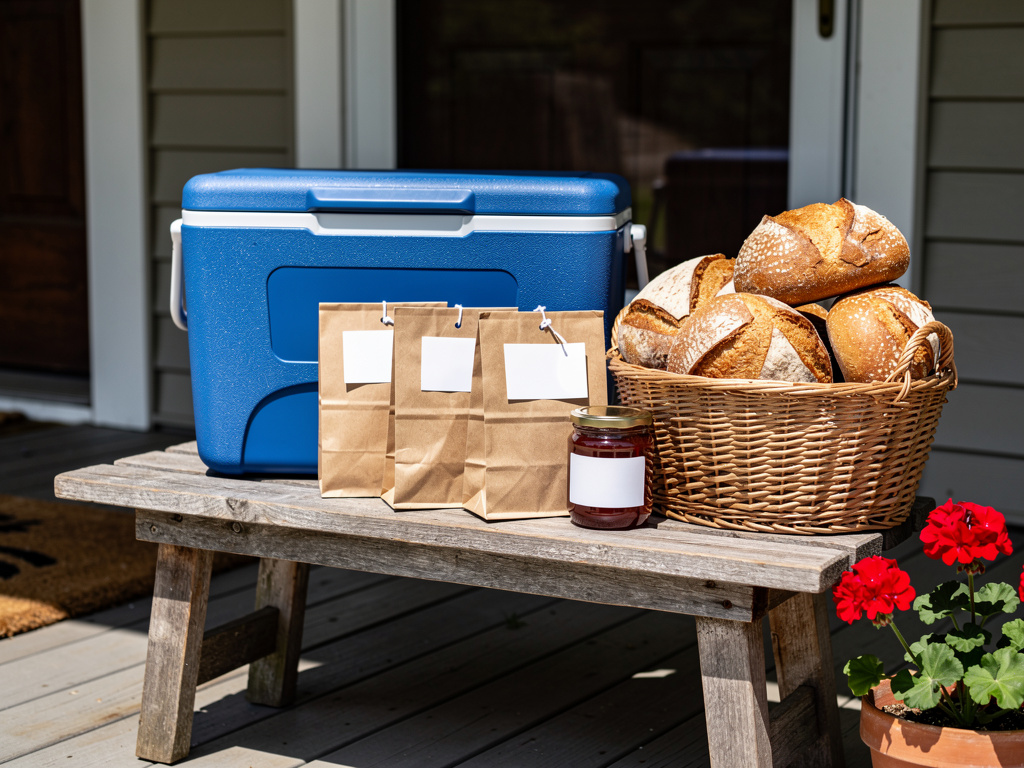
A working porch pickup spot needs five things: a covered shelf or table, bags labeled large enough to read from the steps, a sign with your business name, a cooler if anything needs to stay cold, and a photo of the spot in your order confirmation. If you reuse a shelf or folding table you already own, the new costs are mostly a sign, bags and a cooler if you need one.
Here is the setup, step by step:
A camera at the door helps if a bag goes to the wrong person. It is not required to start.
A cooler on a sunny porch warms up fast. If anything in it needs refrigeration, keep it in the cooler with ice packs for the whole window, because the FDA's two-hour limit below is for food sitting at room temperature. Put cold orders out at the start of the window and pull back anything still there when it closes. Our guide to keeping products cold at an unattended stand covers coolers and ice packs in detail.
The best porch pickup products keep at room temperature for a day or more, travel in a bag without damage, and get reordered every week: sourdough and sandwich bread, cookies, granola, jam, dry mixes and glazed cinnamon rolls (not cream cheese frosted) fit all three. Michigan's cottage food FAQ names breads, cookies and jams among its examples of foods its law covers; check your own state's list. Anything that needs the fridge brings in a time limit.
Good fits for a porch shelf:
The FDA's food storage guidance says foods that need refrigeration should not sit at room temperature for more than two hours, or one hour above 90° F. That is why cream cheese frosting, cheesecake and anything with meat need a cooler and a short window, if your state allows them at all. Texas, for example, says a cottage food operation selling foods that need temperature control must store and deliver them cold enough to stay at 41ºF or below.
Products to skip on an unattended porch: whole decorated cakes (too easy to damage), anything a customer needs explained, and custom orders where you want to see the customer's face when they open the box.
Two days is the most common notice on the 18 Homegrown porch pickup spots we checked, and about one to three days covers 14 of them. Notice is the gap between an order coming in and the earliest pickup that order can use. It gives you time to shop, mix and bake to the exact count.
In a pull of Homegrown's public storefront list on October 14, 2026, 278 of 410 vendors had at least one pickup spot set. We counted a spot as porch pickup only when its name contains the word "porch": 18 spots from 17 vendors. Another 20 vendors named a spot for their home, such as "home pickup", "my home" or a garage, which we left out, so 17 is a floor. The notice each porch spot asks for is shown below.
Notice asked before pickup, 18 porch pickup spots on Homegrown
Source: Homegrown storefront pickup settings, pulled October 14, 2026. 18 spots whose name contains "porch". Notice is rounded down to the whole day, so a spot asking 3 days and 1 hour counts as 3 days.
How to pick your own number:
Longer notice means fewer surprise orders but also fewer impulse ones. If customers keep asking for "this Saturday" after your cutoff, try shortening it by a day for a month and see whether orders go up.
Start with one pickup day a week; 4 of the 15 vendors whose porch pickup runs every week do exactly that, and only 3 are open all seven days. One more, Scratch Made Sourdough, runs two porch spots of one day each, Monday and Wednesday. One day lets you bake once, bag once and be done. Every extra day adds another round of staging and another window when you need to stay near the house.
Here is how the 15 vendors whose porch pickup runs every week split by days open:
The other two of the 17 vendors do not run their porch weekly at all. Pryority Sourdough opens its porch in the third week of the month, and The Risen Dough opens on the second, third and last Thursdays. That pattern suits a vendor who works another job or bakes in big batches.
The weekly spots open five to seven days still protect their kitchen with notice: 5 of those 6 want a day or more between the order and the pickup. If you bake bread fresh for each order, a single day or two set days a week, such as Monday and Wednesday, is easier to keep up.
Add a second day when one window fills up for three weeks running, not before. The second day should be at least two days from the first, so you are not baking for two windows in one stretch.
Customers should order and pay on one page with a pickup time chosen at checkout, because every order that comes in by text or DM is a thread to match to a payment and a pickup time. The bigger difference between tools is who pays the fees. Some add a fee to your customer's total, some take it from you, and some charge a monthly plan.
Here is the full fee stack on a $20 porch pickup order for four common ways to take porch pickup orders.
Scroll sideways to see every column.
| Tool | Monthly plan | Trial | Platform or service fee | Card processing | Customer pays on a $20 order | Vendor pays on a $20 order | Vendor pays in a month of 50 orders at $20 | Pickup scheduling |
|---|---|---|---|---|---|---|---|---|
| Homegrown | $10 billed annually ($12.50 billed monthly) | 7 days, no charge until day 8 | None (0% commission, no shopper fee) | 2.9% + $0.30, vendor-paid | $20.00 | $0.88 plus the plan | $54.00 | Pickup spots, days, windows and notice per spot |
| Hotplate, default | $0 | None (no plan to try) | 5% + $0.55, paid by the customer | 2.9% + $0.30 (vendor pays) | $21.55 | About $0.88 to about $0.92 | $44.00 to $46.25 | Built around drops with set windows |
| Hotplate, vendor covers the fee | $0 | None (no plan to try) | 5% + $0.55, paid by the vendor | 2.9% + $0.30 (vendor pays) | $20.00 | $2.43 | $121.50 | Built around drops with set windows |
| Square Online, Square Free plan | $0 | None (the plan is $0) | None | 3.3% + 30¢ online, paid by the vendor | $20.00 | $0.96 | $48.00 | Pickup and local delivery with ordering windows, inside a full store builder |
| Venmo business profile plus DMs | $0 | None | None | 1.9% + $0.10, paid by the vendor | $20.00 | $0.48 | $24.00 | None; you track orders and times by hand |
Card processing is figured on the $20 price, except Hotplate's default row, which shows a range because Hotplate's two pages differ on what the card fee is figured on. Its post "What Hotplate does" says chefs pay 2.9% of the transaction plus 30 cents, which on the full $21.55 charge is about $0.92. The example on its pricing page charges the chef $1.27 on a $30 order with a $3 tip. That is within a cent of 2.9% + $0.30 on the order plus tip ($1.26) and well under the same rate on the $37.60 customer total ($1.39), so Hotplate's own fee is left out there; on a $20 order that reading is about $0.88. Sales tax, and tips on tools that take them, change the exact cents. We checked Homegrown's signup page, Hotplate's pricing page, Square's plans page and Venmo's fees page on October 14, 2026. Hotplate's pricing page says the fee split is "your choice"; its own post "What Hotplate does" says 80% of Hotplate chefs keep the default of passing it to the customer.
The cheapest row is not always the cheapest week. Venmo plus DMs costs the least on paper, but every order is a message thread, a payment to match and a name to copy onto a bag. At 20 orders of $20 a week, Venmo saves you $8.00 a week in card fees against Homegrown ($0.40 an order), plus about $2.31 a week for the Homegrown plan ($10 a month billed annually, or $12.50 billed monthly). The question is whether the time you spend matching payments and copying names is worth more than that to you.
What to look for, whatever you pick:
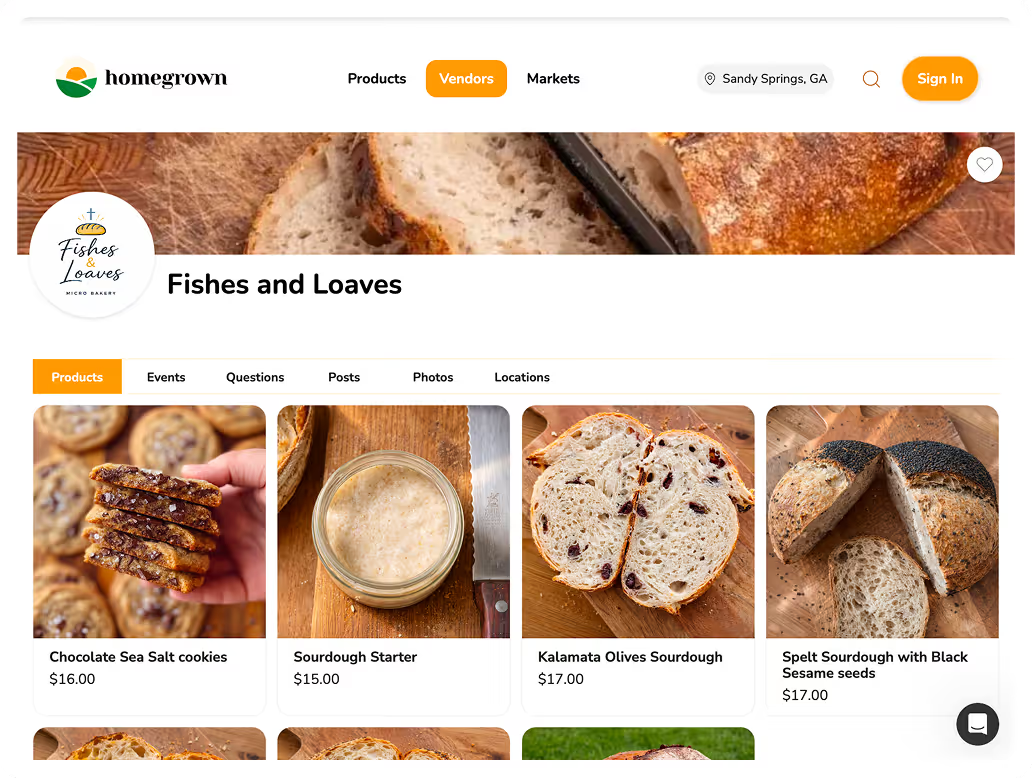
If your porch pickup has outgrown texts and a Venmo handle, a Homegrown storefront gives it one ordering link, a pickup schedule for your porch and payment at checkout for $10 per month billed annually, with no percentage fees beyond standard payment processing of 2.9% + $0.30. The porch becomes its own pickup spot with its own days, window and notice, separate from any market you also sell at.
What it does for a porch pickup vendor:
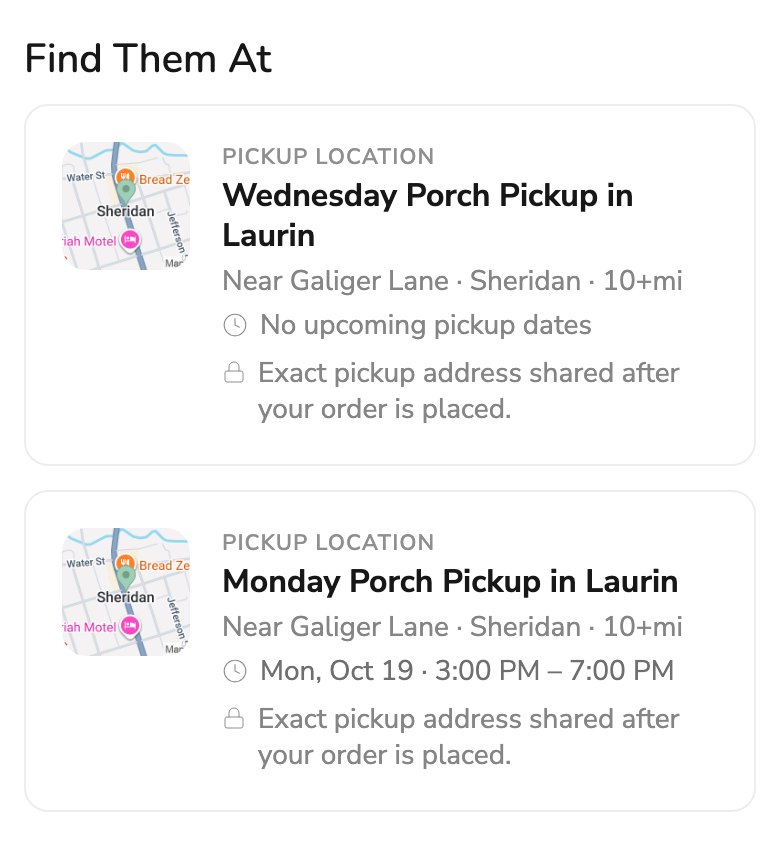
Compared with the other options: Hotplate charges no subscription, adds 5% + $0.55 to each customer's order by default, charges you 2.9% + $0.30 card processing and is built around drops. Square Online's Square Free plan costs $0 a month but charges 3.3% + 30¢ on online card payments and is a general store builder with pickup built in, not a tool made for porch pickup. Venmo plus DMs costs the least per order, at 1.9% + $0.10 a payment, and leaves the order list, the times and the labels to you.
The honest limits. Homegrown has no drops or countdown release feature, and no release date to share. It does not send broadcast texts or emails to your customer list yet. Customers create a Homegrown account to place a first order. Card processing is paid by you with no way to pass it to the customer. Your storefront is listed on Homegrown's marketplace, but plan on most porch orders coming from neighbors you send to your own link. It also does not watch your porch: the shelf, the sign and the cooler are still yours. You can set up a Homegrown storefront for porch pickup with a 7-day trial; your card is not charged until day 8.
Divide what you want to earn from the porch each week by your average order, then round up: a $300 weekly goal at a $24 average order is 13 orders. That number decides how much you bake, how hard you promote and whether one pickup day is enough.
Work through it in order:
The target is also the honest test of the channel. If you cannot reach 10 orders a week after two months of steady posting, the porch may work better as a side door to your market than as a channel of its own.
Porch pickup customers have to drive to your house, so the best promotion is local: your street, your neighborhood groups, your market regulars and a printed QR code. A post that reaches 5,000 people across the country can do less for a porch than one flyer on the community board at the end of your road.
Places to put your ordering link:
Keep the same rhythm every week. Orders open the same day, close at the same hour and pick up in the same window. Regulars stop reading your posts closely once they know the pattern, and that is the goal: they order out of habit.
Five things can go wrong with an unattended porch: a wrong bag taken, an order never picked up, weather, theft and a cold order left out, and each has a simple fix you set up before the first window. Clear labels and a short window head off most of them.
The fixes:
If you take cash for walk-up extras, the risks are different. The guide to farm stand theft and the honor system covers cash boxes and shrinkage.
A small walk-up shelf of extra loaves or cookies catches neighbors who missed the cutoff: 3 extra loaves at $10 that sell are $30 more from the same oven run, if you can take payment without being there and your state allows it. The prepaid orders are the channel. The shelf is a bonus on top.
How to keep the shelf from causing trouble:
The honor system farm stand setup guide has the signs and the cash box side if you want to accept cash too. Watch your own shelf for a month before you bake more extras.
Track six numbers after every pickup day: orders, average order, repeat customers, no-shows, sell-out time and messages asking where or when. Together they show whether the porch is growing, and which fix to try next.
What each one tells you:
A note on your phone or a two-column sheet is enough. Five minutes after each window, before you forget who came late, keeps the habit going. After eight weeks you will know your real numbers instead of guessing.
Porch pickup keeps running when you treat the pickup window like store hours, publish the same menu rhythm every week and change one thing at a time. Stop saying yes to exceptions too, because each one pulls the porch back toward being a favor.
Habits that keep it running:
Put the same 3 things in every confirmation and every reminder: the pickup window, a photo of your shelf, and one line on what to do if they are late. Count the "where are you?" messages for a month. If that number does not drop to 1 or fewer a week, the photo or the wording is the problem, not the customers.
Porch pickup is a way to sell food from home where customers order and pay ahead, then collect a labeled bag from your porch during a set window. You bake only what was ordered, bag each order with the customer's name and set the bags out when the window opens. On Homegrown, 14 of the 18 porch pickup spots we checked want about 1 to 3 days between the order and the pickup.
Whether you can sell cottage food from your home depends on your state's cottage food law, and the details differ. Texas says online cottage food orders must be personally delivered by the operator, an employee or a household member, and Michigan says the customer must get a chance to interact with you before an internet sale. Check your state agency's page and verify your state's current rules before you start porch pickup.
That depends on your state's wording. In states like Texas, where online orders must be personally delivered, ask your health department before you leave orders with nobody home. Where it is allowed, use labeled bags on a covered shelf, a short window and a camera if you want proof of who took what.
Message the customer whose bag is missing right away and offer a replacement or a refund, then check your shelf photo to see who took which bag. Small or similar names on the bags are an easy cause to fix. Writing the first name and last initial large on the front of every bag prevents the next one.
Shelf-stable products like bread, cookies and granola can sit through a normal pickup window if they are out of the sun and rain. Anything that needs refrigeration, such as cream cheese frosting, should not sit out longer than two hours, or one hour above 90° F, according to FDA guidance. Keep those in a cooler and bring them in when the window closes.
You might. Some HOAs and city home occupation rules limit customer traffic, parking or signs for a home business, even when your state's cottage food law allows sales from home. Read your HOA covenants and your city's home occupation rules before you put up a sign or invite 20 cars a week to your porch.
These guides cover the parts of porch pickup this article only touches, from the weekly order rhythm to promotion in your neighborhood.
Your porch can be a real part of your business with a schedule, a cutoff and paid orders behind it. If you want customers to order and pay for porch pickup in one place, with your porch set up as its own pickup spot, start your Homegrown storefront at $10 a month billed annually.