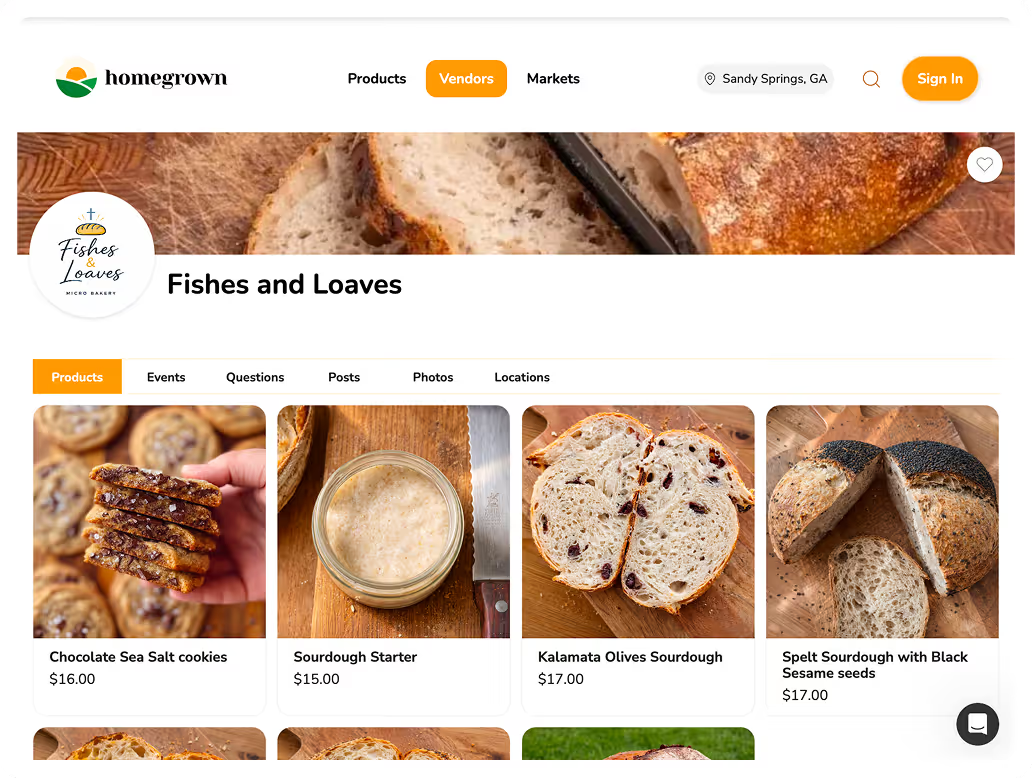


The best platform for porch pickup food orders is Homegrown, which gives you an online storefront for $10 per month with local pickup and delivery scheduling, inventory management, and built-in card processing — no website, no marketplace fees, and no commission on your sales, just card processing of 2.9% + $0.30 per order. Porch pickup (also called contactless pickup, front door pickup, or home pickup) lets cottage food vendors schedule time windows when customers drive by and grab their pre-paid order from a cooler, table, or designated spot outside their home.
The short version: Porch pickup is the simplest fulfillment model for cottage food businesses — no booth fees, no market schedule, no interaction required. Customers order online, pay in advance, and pick up from your porch during a set window. The platform that makes this work needs three things: ordering with payment, scheduled pickup windows, and a way for customers to know their order is ready. Homegrown ($10 per month annual, $12.50 monthly) handles all three. Other options include Square Online (free with Square branding), Google Forms with PayPal (free but manual), and Shopify ($39+ per month).
Porch pickup has become the preferred fulfillment method for many cottage food vendors because it eliminates the major costs and constraints of other sales channels:
The key requirement is a platform that lets customers order, pay, and select pickup or local delivery — so you are not coordinating everything through texts and DMs.
Homegrown is built for local food vendors who sell through pickup or local delivery and farmers markets. You list your products, set pickup locations and times, and share one link.
Here is what Homegrown includes:
Pros:
Cons:
Best for: Cottage food vendors who run porch pickup operations from their home.
Start your free 7-day trial with Homegrown.
Many porch pickup vendors start with a Google Form for orders and PayPal or Venmo for payment. This works at low volume but breaks down as orders increase.
Pros:
Cons:
Best for: Brand new vendors testing porch pickup with fewer than 5 orders per week.
Square Online syncs with Square POS. Free tier includes Square branding.
Pros:
Cons:
Best for: Vendors already using Square who want basic online ordering.
Shopify at $39 per month provides more infrastructure than a porch pickup operation needs.
Best for: Food businesses that have outgrown porch pickup and sell through multiple channels.
| Feature | Homegrown | Google Forms + PayPal | Square Online (Free) | Shopify |
|---|---|---|---|---|
| Monthly cost | $10 (annual) | $0 | $0 | $39+ |
| Transaction fee | 0% | 3.49% + $0.49 (PayPal) | 0% | 0% |
| Card processing | 2.9% + $0.30 | Included above | 3.3% + $0.30 | 2.9% + $0.30 |
| Pickup scheduling | Yes (custom windows) | Manual | Basic | With apps |
| Delivery scheduling | Yes (built-in) | Manual | Basic | With apps |
| Inventory management | Yes | Manual | Basic | Yes |
| Order + payment in one step | Yes | No (two steps) | Yes | Yes |
| Food-specific features | Yes | No | No | No |
| Setup time | ~15 min | ~10 min | 30-60 min | 4-8 hours |
The Google Forms approach costs nothing but requires manual inventory management, separate payment collection, and text-based pickup coordination. At 10+ orders per week, the time spent on manual management exceeds the $10 per month cost of a dedicated platform.
Step 1: Set your pickup schedule. Choose a day and time window that works for your baking schedule. Most porch pickup vendors offer a 2-4 hour window once or twice per week — for example, "Saturdays 10am-2pm" or "Thursdays 4pm-7pm."
Step 2: List your products. Add everything you sell to your platform with photos, descriptions, and prices. Set inventory counts so ordering automatically closes when you sell out.
Step 3: Share your link. Post your ordering link on Instagram, Facebook, Nextdoor, and in local community groups. Text it directly to repeat customers.
Step 4: Set an ordering deadline. Close online ordering 24-48 hours before pickup so you know exactly what to prepare.
Step 5: Prepare and label orders. Bake or prepare orders, label each bag or box with the customer name, and set them out on your porch or designated pickup spot at the start of your window.
Step 6: Notify customers. Many vendors text or message customers when their order is ready and available for pickup. Once those pickups run every week, the porch can carry its own weekly order target, and the guide to running porch pickup as a real sales channel works through the per-hour math against a $40 market day and the notice 18 real porch pickup spots ask for.
Small business startup and self-employment resources are available from the Federal Reserve, and food business regulatory information is available from FDA Access Data.
Start your free 7-day trial with Homegrown.
Ready to start selling locally? The easiest way to take local orders and get paid is an online storefront — see the best platform to sell food from home, or set up a Homegrown storefront in about 15 minutes ($10/mo, 0% commission).
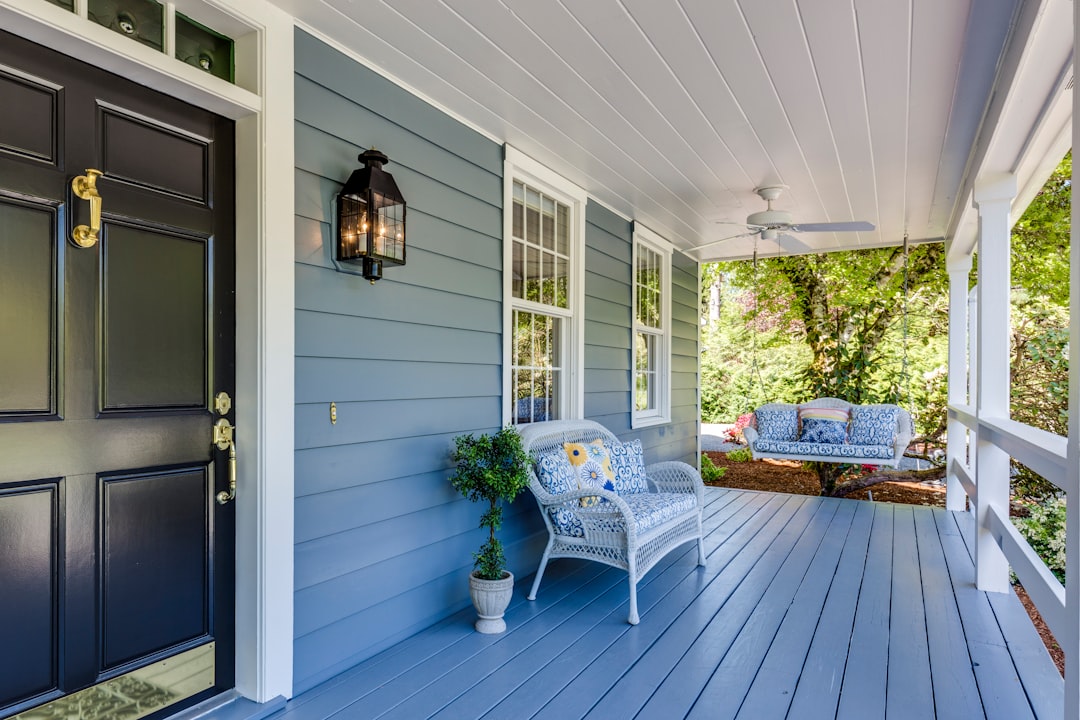
Porch pickup (also called contactless pickup, front door pickup, or home pickup) is when a customer orders and pays online, then drives to your home and picks up their order from a designated spot — usually your porch, front step, or a table near your door. The vendor labels each order with the customer's name and sets orders out during a scheduled pickup window.
In most states, porch pickup is legal under cottage food laws because it counts as a direct sale to the consumer at the producer's home. Many cottage food laws specifically mention "at the producer's home" as a permitted sales location. Check your state's cottage food law for specific language about home sales and pickup. Some states require that you be present during the transaction, which may affect fully contactless setups.
Choose a pickup day and time window, list your products on an ordering platform, set an ordering deadline (24-48 hours before pickup), and share your ordering link. On pickup day, label each order with the customer's name and set them in your designated pickup spot. Most vendors use a folding table, cooler, or shelf on their porch. Keep perishable items in a cooler with ice packs during the pickup window.
Most successful porch pickup vendors offer a 2-4 hour window. Shorter windows (1-2 hours) create more urgency but may be inconvenient for customers. Longer windows (4+ hours) require you to manage the pickup spot for too long and perishable items may not stay safe. Saturday mornings (9am-1pm) and weekday evenings (4pm-7pm) are the most popular time slots based on customer availability.
Most home-based porch pickup vendors comfortably handle 15-40 orders per week depending on their product type and production capacity. The limiting factor is usually production capacity (how much you can bake), not pickup logistics. Since orders are pre-paid and pre-labeled, the actual pickup process requires minimal active management — you set orders out and customers grab theirs.
It depends on your state's cottage food law. Some states require the producer to be present for direct-to-consumer transactions. In those states, you need to be home during the pickup window but do not need to interact with every customer — you can be inside while customers pick up from your porch. In states without this requirement, fully contactless pickup (you set orders out and leave) is an option.
Set a clear pickup window and communicate it in your order confirmation. If a customer does not pick up during the window, most vendors send a text or message offering a short extension. If the customer still does not pick up, hold the order for 24 hours and then consider it forfeit — since the order is pre-paid, you keep the revenue. Clear pickup expectations in your ordering link help prevent no-shows.
A covered porch, carport, or pop-up canopy keeps orders dry. Many vendors use weatherproof containers (plastic bins with lids, insulated bags) to protect orders from rain. If your pickup spot is fully exposed, a $30 pop-up canopy from any hardware store solves the problem. Rain rarely cancels porch pickups — unlike farmers markets, your home pickup spot is always available.
Yes. Many cottage food vendors sell at a Saturday farmers market and offer mid-week porch pickup for customers who cannot make it to the market. Platforms like Homegrown support multiple pickup locations, so you can list both your market booth (Saturday) and your home (Wednesday evening) as pickup options. Customers choose which location and time works best for them.
Label all orders clearly, use insulated bags or coolers for temperature-sensitive items, and keep your pickup window short enough that food does not sit out for extended periods. Non-perishable cottage food items (cookies, bread, candy, jam) are simple — they can sit on a porch table for hours. Items that need to stay cool (cream cheese frosted cupcakes, some pies) should be in a cooler with ice packs. Always include any required cottage food labels on packaging.
Most cottage food vendors stick with porch pickup rather than delivery. Delivery adds significant time, vehicle expense, and logistical complexity — especially once you have more than a few orders. Porch pickup keeps your fulfillment simple: you prepare orders, set them out, and customers come to you. If customers ask about delivery, many vendors offer it for a premium ($5-$10 within a set radius), but most find that the majority of customers are happy to pick up.
Start with your existing network: post on personal social media, share in local Facebook groups, post on Nextdoor, and text your ordering link to friends and neighbors. Farmers market customers are also a strong source — hand out business cards at your booth with your ordering link for mid-week porch pickup. Word of mouth is the primary growth channel for most porch pickup operations: when customers love your product, they share your link with friends and coworkers.
Use clear bags or boxes with customer name labels written in permanent marker. For multi-item orders, staple or tape the order receipt to the outside of the bag so the customer can verify the contents. Many vendors use brown kraft paper bags (professional appearance and low cost) or clear cellophane bags (customers can see the product). Avoid containers that can blow away in wind if you set orders on an open porch. Weighted boxes or bags placed against a wall work well.
Yes, but with care. Custom orders like decorated cakes should be packaged securely and placed on a flat, stable surface during the pickup window. Many cake vendors prefer to hand-deliver custom orders or require the customer to come to the door rather than leaving a decorated cake unattended on a porch. For standard porch pickup (cookies, bread, brownies), contactless works perfectly. For fragile or premium items, a brief hand-off may be worth the extra step.
Your products deserve a storefront where the listed price is what your customer pays — no marketplace fees, no checkout surcharges, no commission taken from any sale, just card processing of 2.9% + $0.30 per order. Homegrown gives food vendors a shareable ordering link, built-in payments, and local pickup and delivery scheduling for $10 per month flat. Start your free 7-day trial.