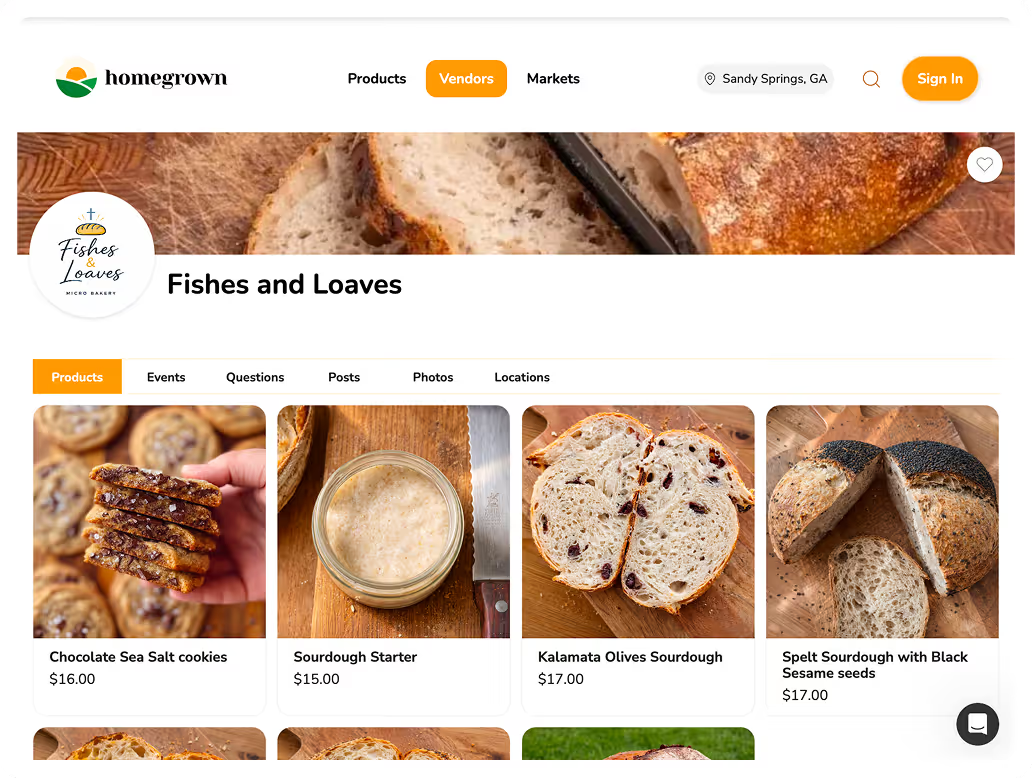



The short version: If you sell baked goods, jam, honey, or other cottage food products from your home kitchen, you need a platform that handles online ordering and local pickup without the complexity of a full e-commerce store. Homegrown ($10 per month with payment processing built in at 2.9% + $0.30) is built specifically for this. Other strong options include Bakesy ($9.99 to $17.99 per month plus payment processing on top, best for managing bakery orders and invoicing), and Cookin (free to list, built for home chefs). Shopify ($29 a month billed yearly or $39 monthly, plus payment processing at 2.9% + $0.30) and Facebook Marketplace (free) work but were not designed for home-based food sales. For most vendors selling from home for local pickup, Homegrown is the simplest and most affordable option.
Checked September 12, 2026: Castiron is closed, and its old castiron.me address now shows a casino site. Bakesy lists $9.99 or $17.99 a month after a 30-day free trial and charges 3.9% + 30¢ on card payments through its optional Secure Payments. Cookin has no monthly fee but takes a 5% platform fee on each order, on top of 2.9% + 30¢ card processing. Shopify Basic is $39 a month, or $29 a month when you pay for a year. Homegrown lists your storefront on its marketplace, but plan on most orders coming from the people you send to your own link.
If you want to see how it works with your own products, you can set up a Homegrown storefront and try it free for 7 days.
The best app to sell food from home for most cottage food vendors is Homegrown — a simple online storefront with built-in payments and local pickup and delivery scheduling for $10 per month, no transaction fees beyond card processing.
Homegrown gives you everything you need. You add your products, set pickup times at your home or another location, share one link, and customers order and pay on their phone. Setup takes about 15 minutes, and you do not need a website, a commercial kitchen, or any technical skills.
Selling food from home means making products in your home kitchen and selling them directly to customers, usually for local pickup. In most states, this falls under cottage food laws, which allow you to sell certain homemade foods without a commercial kitchen or food establishment license.
Common home-based food businesses include:
In a pull of the Homegrown catalog on August 14, 2026, the 219 vendors on Homegrown listed 1,804 products. Jam and jelly showed up in 66 product names from 14 vendors, honey in 24 products from 20 vendors, and salsa or sauce in 26 products from 10 vendors. Baked products still lead the list: sourdough alone appears in 262 product names.
Products on Homegrown whose names include each word
Source: Homegrown catalog pull, August 14, 2026. One product can count under more than one word, so a sourdough bread counts for both.
If you want a broader look at online selling options beyond home-based, our guide to the best e-commerce platforms for farmers market vendors covers platforms for every selling style. But the key difference between selling food from home and selling food online in general is that home-based vendors almost always sell locally. You are not shipping sourdough across the country. You are baking it Thursday night and handing it to your neighbor Saturday morning.
That local, pickup-based workflow is exactly what most general e-commerce platforms get wrong. They are built for shipping. You need something built for pickup.
You can start selling food online from home in six steps, and the cost question at the end of this guide walks through what setup costs. The order matters, because your state's rules decide which products you can sell before you build anything.
For a longer walkthrough of permits, kitchens and your first sale, read our guide on how to sell food from home.
Before comparing platforms, here is what actually matters for a home-based food vendor:
These six requirements eliminate most general e-commerce platforms immediately. Shopify, Squarespace, and Wix all require you to build a website and then configure it for local pickup. Platforms built for home-based vendors start with pickup as the default.
Five platforms are still worth comparing in September 2026: Homegrown at $10 a month, Bakesy at $9.99 to $17.99 a month, Cookin with no monthly fee, Shopify from $29 a month and Facebook Marketplace for free. Every paid option below also charges card processing on each order. Castiron, which still has a section below as a record, has shut down.
This guide covers six platforms for home-based food vendors. Five are still open, and each fits a different selling style and budget. Here is what they cost, what they do well, and who they are actually built for.
Homegrown is an online storefront built for local vendors who sell for pickup or local delivery. You add your products, set prices, choose pickup times and locations (including your home address, a farmers market, or a designated drop-off spot), and share one link. Customers browse, order, and pay from their phone.
Here is what you get:
The workflow is exactly how home vendors sell: you share your link, customers order during the week, you bake on Thursday, and they pick up Saturday morning. No guessing how much to make. No DMs to sort through. No Venmo to track.
Pros:
Homegrown does list your storefront on its marketplace, but plan on most orders coming from the regulars and followers you send to your own link. On price, Cookin charges no monthly subscription at all, and it takes 5% of every order as a platform fee instead, on top of card processing.
Cons:
Best for: Any home-based vendor who sells cottage food products for local pickup and wants the simplest ordering system available.
If you spend more than an hour per week managing orders through DMs, texts, and Venmo, a Homegrown storefront replaces all of that with one link. Customers order, pay, and choose their pickup time. You see a clean list of what to make.
Castiron shut down, so it is no longer an option: on September 12, 2026, castiron.me showed an online casino site and shopcastiron.com did not load at all. The rest of this section describes how Castiron worked while it was open.
Castiron was a storefront platform built for home bakers and food creators who take custom orders. It was free to create an account, and Castiron took a percentage of every sale.
Here is what you get:
Pros:
Cons:
Best for: Home bakers who primarily did custom orders (birthday cakes, wedding cookies, event platters). For custom orders today, look at Bakesy.
Bakesy costs $9.99 a month on its Standard plan or $17.99 on Premium after a 30-day free trial, and its pricing page does not list a card rate, but its payments guide lists 3.9% + $0.30 per card payment through Bakesy Secure Payments (checked September 13, 2026).
Bakesy is a business management platform designed specifically for home bakers. It goes beyond ordering to include invoicing, recipe costing, and customer management.
Here is what you get:
Pros:
Cons:
Bakesy's own site says each Bakesy Shop "serves as your website and online ordering platform," and its feature list includes customer order forms, a calendar that shows customers your available dates and a QR code for your shop.
Best for: Established home bakers who need business management tools (invoicing, costing, scheduling) beyond just taking orders. Not the best fit if you just need customers to see your products and order.
Cookin has no monthly fee and charges a 5% platform fee on each order, which you can absorb or pass on to the customer, plus 2.9% + 30¢ in card processing. Delivery orders add $6.99 each, with the same choice to absorb it or pass it on.
Cookin is a storefront platform where home chefs list meals and prepared foods. Customers order from your Cookin page and either pick up or get delivery through the platform.
Here is what you get:
Pros:
Cons:
Cookin's own help section, checked September 12, 2026, says Cookin "isn't an app-based marketplace." You own your storefront and your customers, and traffic you send to your Cookin page is where most orders come from. Cookin says food creators can use it everywhere in the United States and Canada.
Best for: Home chefs who cook prepared meals and want a storefront with delivery options. Less ideal for cottage food bakers who mainly sell for pickup.
Shopify Basic costs $39 a month, or $29 a month if you pay for a full year, plus 2.9% + 30¢ per online card payment and an extra 2% on orders paid through a provider other than Shopify Payments, according to Shopify's pricing page.
Shopify is a full e-commerce platform. It can sell anything, including food, but it was designed for businesses that ship products nationwide.
Key details:
Pros:
Cons:
Shopify's help center, checked September 12, 2026, describes a built-in pickup in store option: customers pick up online orders at one of your locations, and checkout shows an expected pickup date. It does not describe customers choosing a pickup time slot.
Best for: Home vendors who plan to ship products nationally and want a full-featured online store. If you have already compared the best platforms to sell food online, you know Shopify is powerful but often overkill for home-based vendors.
Facebook Marketplace is free to list on, and Facebook's help center describes two ways to buy there: local deals that buyers arrange by message, and checkout, where buyers tap Buy now and pay with Meta Pay. Local deals, like a buyer picking up at your door, are not covered by Facebook's Purchase Protection.
Facebook Marketplace lets you list products and connect with local buyers for free. It costs nothing to start here, and it reaches people already on Facebook.
Key details:
Pros:
Cons:
Best for: Vendors just starting out who want to test demand before paying for a platform. Not a long-term solution for managing regular orders.
Swipe sideways to see every column.
| Platform | Monthly Cost | Transaction Fee | Pickup Scheduling | Delivery Scheduling | Custom Orders | Best For |
|---|---|---|---|---|---|---|
| Homegrown | $10/mo yearly ($12.50 monthly) | 2.9% + 30¢ | Yes | Yes | No | Local pickup vendors |
| Castiron (closed) | Closed | Closed | No | N/A | Yes | No longer available |
| Bakesy | $9.99-17.99/mo | 3.9% + 30¢ (Secure Payments) | No | No | Yes | Baker business management |
| Cookin | $0 | Commission | Limited | Limited | No | Home chefs, meals |
| Shopify | $29/mo yearly ($39 monthly) | 2.9% + 30¢ | Built in (no time slots) | Built in | No | Full e-commerce |
| $0 | None | No | No | No | Testing demand |
Checked September 12, 2026: Castiron has closed. Bakesy's payments guide lists 3.9% + 30¢ for Secure Payments. Cookin's fee is 2.9% + 30¢ plus a 5% platform fee per order.
At $1,000 per month in home food sales from 40 orders of $25, plan and card fees run from $51 on Homegrown to $91 on Cookin, among the platforms that publish their fees.
For a home vendor doing $1,000 per month in sales:
At $1,000 per month in sales, Homegrown is the most affordable of the paid options that publish their fees.
Every total above counts the 30¢ charged on each of the 40 orders.
On 40 orders of $25 a month, or $1,000 in sales, Homegrown costs about $51, Shopify Basic about $80 and Cookin about $91 if you absorb its platform fee. Every number below comes from each company's own site, checked on September 12, 2026, with card processing counted on all 40 orders.
Scroll sideways to see every column.
| Platform | Monthly plan | Platform fee per order | Card processing | Total on 40 orders of $25 | Where we checked |
|---|---|---|---|---|---|
| Homegrown, yearly plan | $10 | $0 (0% commission) | 2.9% + 30¢, or $41 | $51 | findhomegrown.com/signup |
| Homegrown, monthly plan | $12.50 | $0 (0% commission) | $41 | $53.50 | findhomegrown.com/signup |
| Shopify Basic, yearly | $29 | $0 with Shopify Payments | $41 (2.9% + 30¢) | $70 | shopify.com/pricing |
| Shopify Basic, monthly | $39 | $0 with Shopify Payments | $41 | $80 | shopify.com/pricing |
| Cookin, fee absorbed | $0 | 5%, or $50 | $41 | $91 | cookin.com |
| Cookin, fee passed on | $0 | 5%, paid by your customers | $42.45 (2.9% + 30¢ on $1,050) | $42.45, and your customers pay $50 more | cookin.com |
| Bakesy Standard | $9.99 | None listed | 3.9% + 30¢ (Secure Payments), or $51 | $60.99 | bakesy.app |
| Facebook Marketplace | $0 | $0 | None in a local deal; you arrange payment with the buyer | $0 | Facebook help center |
| Castiron | Closed | Closed | Closed | Not available | castiron.me |
How the card processing adds up: 2.9% of $1,000 is $29, and 40 orders at 30¢ each is $12. Shopify adds 2% on orders paid through another provider. Cookin also charges $6.99 per delivery order, which you can absorb or pass on.
Once orders pick up, the subscription is the smallest part of the bill. At 40 orders a month, the 30¢ per order charge alone adds $12, which is more than Homegrown's $10 yearly-billed plan. A platform fee that looks small grows with every sale: Cookin's 5% would be $100 on a $2,000 month.
For most home vendors who sell for local pickup, the best choice is a storefront at $10 to $12.50 a month with pickup scheduling built in and card processing on every order.
Here is the quick decision:
Cookin describes itself as a storefront you drive your own customers to, with delivery through the Uber driver network at $6.99 per delivery order, on top of card processing.
For most home vendors reading this — the baker selling sourdough from the kitchen, the jam vendor taking orders from the porch, the cottage food vendor tired of managing DMs — the answer is a platform built for local pickup. You do not need a full website. You do not need shipping. You need one link where customers can see your products, order, pay, and pick up.
If you have been selling through DMs and Venmo, a Homegrown storefront replaces that entire workflow. Customers see your products, place an order, pay online, and choose when to pick up. You see a list of orders instead of a messy inbox. If you have compared other platforms like BakeBug or Square Online, Homegrown consistently wins on simplicity and price for pickup-based selling.
Yes, you can sell shelf-stable packaged food like jam, jelly, honey and candy online from home in most states, as long as your state's cottage food law allows the product and the way you sell it. Washington shows how specific those rules get.
Washington's Cottage Food Permit covers foods that are not potentially hazardous, such as baked goods, candies, jams, jellies, preserves and fruit butters. The application fee is $355, the permit lasts two years, you can list up to 50 products, and gross sales cannot go over $35,000 a year, according to the Washington State Department of Agriculture. Other states set different caps and fees, so check yours before you list anything.
Packaged products fit local pickup well. Because jam and honey are shelf-stable, you can take orders all week and hand them out on one pickup day. Homegrown handles local pickup and local delivery. It does not ship nationwide, so it suits vendors who sell to people nearby.
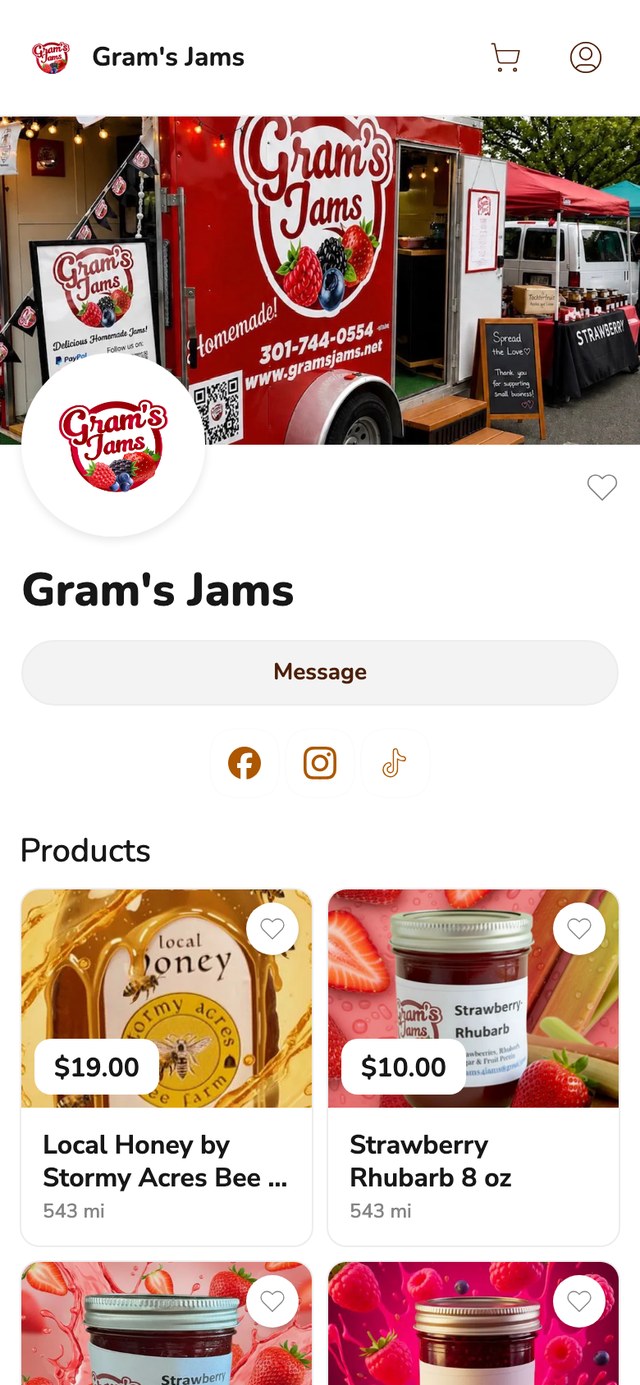
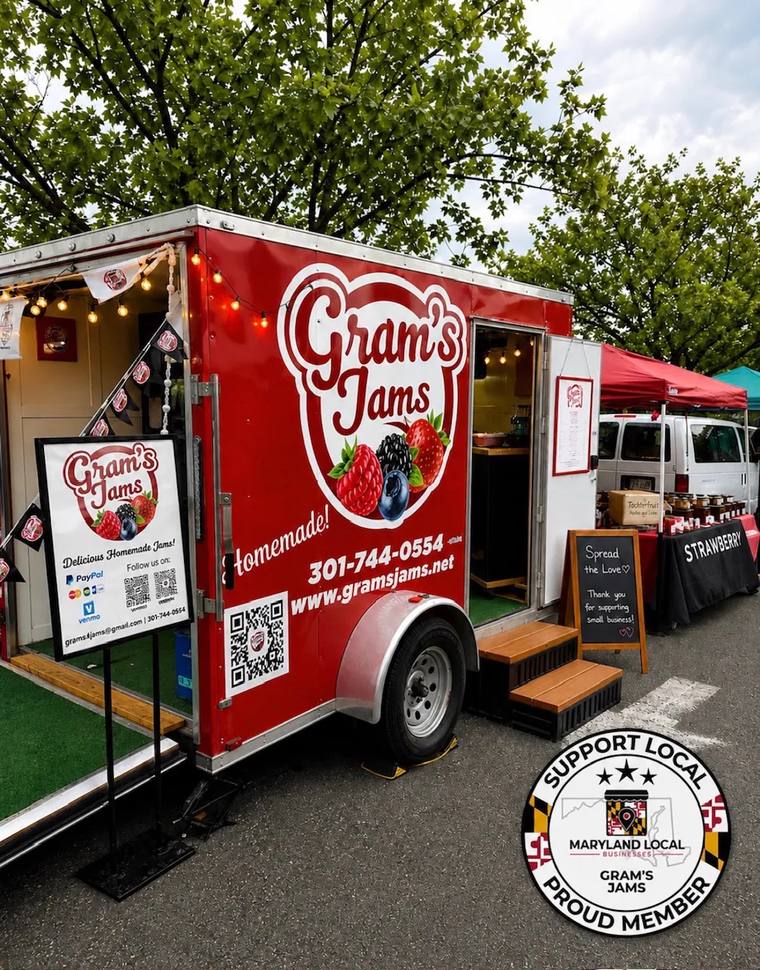
Here is what that looks like on a real Homegrown storefront. Gram's Jams lists its jams at $10 a jar, in 8 and 10 ounce sizes, plus 16 ounce jars of local honey from Stormy Acres Bee Farm for $19.
If you already sell jam or honey at a market, the same storefront link lets your regulars order between market days and pick up on a day you choose.
Most states allow you to sell certain homemade food products under cottage food laws without a commercial kitchen license. The rules vary by state, covering what you can sell, how much you can earn annually (caps vary a lot by state; Florida's is $250,000 a year, according to its agriculture department), and where you can sell. You will usually need basic labeling with your name, address, and ingredients. Check your state's specific cottage food law before you start. Washington, for example, caps cottage food sales at $35,000 a year and charges a $355 permit application fee, according to its Department of Agriculture.
No. Cottage food laws typically allow non-potentially-hazardous foods: baked goods, jams, jellies, honey, candy, dry mixes, and similar shelf-stable products. Foods that require refrigeration (dairy, meat, cut fruit) are usually not allowed under cottage food laws. The specific list varies by state.
The simplest approach is a platform with built-in payment processing, like Homegrown (2.9% + 30 cents per transaction). Customers pay when they place their order online. You do not need to set up a separate payment processor account. Avoid relying on Venmo or Cash App for regular sales because they lack order tracking and make it difficult to match payments to specific orders.
What it costs to start depends a lot on your state's permit fee ($355 in Washington, for example). Your other early costs are ingredients for your first batch, labels and packaging ($20 to $50), and a platform subscription ($0 to $39 per month for the platforms in this guide). You do not need expensive equipment, a commercial kitchen, or a web developer. The whole point of cottage food laws is to let you start small with what you already have. Homegrown's own plan is $10 a month billed yearly or $12.50 a month billed monthly, with card processing at 2.9% + 30¢ on each order. To add up your own numbers, try the free startup cost calculator.
Set specific pickup windows (for example, Saturday 9 AM to 12 PM) and let customers choose a time when they place their order. Have orders packaged, labeled with the customer's name, and ready at your door or designated pickup spot. Platforms like Homegrown automate this by letting customers select a pickup window during checkout and sending them a confirmation with your address and instructions.
Both have a place, but for different reasons. A marketplace like Facebook Marketplace helps new customers find you. Your own ordering page (like a Homegrown storefront) gives you control over your products, pricing, and customer relationships. The best approach for most vendors is to have your own ordering page for regular customers and use marketplaces for discovery, not as your primary sales channel. One update: Cookin says on its own site that it is not an app-based marketplace, so orders there come from people you send to your Cookin page. The Homegrown marketplace lists your storefront too, but most orders still come from customers you point to your link yourself.
Start by telling friends, family, and neighbors what you are making and gauge interest. Post on local Facebook groups or Nextdoor. If five to ten people say "I would buy that," you have enough demand to start. You do not need formal market research. They need to make their first batch, share a link, and see what happens. The cost to start is low enough that testing is cheaper than planning.