


The short version: Most small food vendors should start with either Square Online (free, best if you already use a Square reader at the market) or a Homegrown storefront ($10 per month, built specifically for local food pickup). Farm stands with large inventories should look at Local Line ($79 per month and up). Restaurant platforms like Toast (Point of Sale plans from $69 a month) and ChowNow (from $229 a month billed yearly) add hardware, add-ons or setup fees and include features you will never use — skip them unless you open a brick-and-mortar location.
Checked September 12, 2026: Local Line's $79 is its yearly billing rate ($99 month to month), plus 2.9% + 30¢ per card payment. Square Online's free plan charges 3.3% + 30¢ per online card payment, and Homegrown charges 2.9% + 30¢ with card processing built in. On Homegrown, customers sign up for an account the first time they place an order, while Square Online lets them check out as guests.
If you sell food at a farmers market, from your home kitchen, or through a farm stand, you have probably already taken online orders. They just came through text messages, Instagram DMs, and "Can you save me one?" conversations. That works when you have five customers. It stops working when you have fifteen.
An online ordering system gives your customers a link where they can browse your products, place an order, and pay — all without a single back-and-forth message. You wake up to a clean order list instead of a full inbox.
But most "best online ordering" guides are written for restaurants. They compare Toast, ChowNow, and DoorDash — platforms built for dine-in tables, delivery drivers, and commercial kitchens. That is not your business. You need something simple, affordable, and built for local pickup.
For a small food business that sells for local pickup, the best online ordering system is the simplest one you will actually set up: Square Online if you already use a Square reader, or a Homegrown storefront at $10 a month billed yearly if you want an ordering page built around pickup days.
This guide compares seven ordering platforms that actually work for small food vendors in 2026, with verified pricing and honest pros and cons for each one.
On $500 a month in orders, Square Online's free plan (3.3% + 30¢ on each online payment) and Ecwid's $5 Starter plan cost the least, and Homegrown, at $10 a month plus 2.9% + 30¢, comes next. Local Line fits large farm stands, while Shopify, Ecwid and WooCommerce suit vendors who want a full website.
Here is every platform in this guide side by side.
Swipe left to see all six columns.
| Platform | Monthly Cost | Online Transaction Fees | Local Pickup | Local Delivery | Best For |
|---|---|---|---|---|---|
| Square Online | Free, $49 (Plus), $149 (Premium) | 3.3% + 30c (Free), 2.9% + 30c (Plus) | Yes | Basic | Vendors already using Square reader |
| Homegrown | $10 (annual), $12.50 (monthly) | 2.9% + 30c | Yes (built for it) | Yes (built for it) | Cottage food, market vendors, porch pickup |
| Local Line | $79-99/mo | 2.9% + 30c | Yes | Yes | Farm stands, CSA operations |
| Shopify | $29 (Basic), $79 (Grow) | 2.9% + 30c (Basic) with Shopify Payments, or your provider's rate + 2% | Yes (via settings) | Yes (built in) | Vendors who want a full website |
| Ecwid | $5 (Starter), $29 (Venture), $49 (Business) | 0% platform fee (payment processor fees apply) | Yes (pickup on every plan) | Yes (built in) | Adding ordering to an existing site |
| WooCommerce | Free plugin + $20-40/mo hosting | 2.9% + 30c (WooPayments) | Yes (via plugin) | With apps | Tech-savvy vendors wanting full control |
| GonnaOrder | ~$53/mo (EUR 49 Starter) | 0% platform fee (payment processor fees apply) | Yes | Yes | QR code ordering at physical locations |
We rechecked each platform's own pricing page on September 12, 2026. WooCommerce hosting is an estimate, because it depends on your web host.
The right platform depends on how you sell, where customers pick up, and how many orders you handle each week. Before comparing features, answer these five questions.
All seven platforms in this guide offer local pickup, but they differ a lot in how easily you can set pickup days, time windows and an order cutoff.
This is the single most important feature for small food vendors. Most ordering platforms were built for shipping or delivery. Local pickup — where a customer orders online and picks up at your farmers market booth, farm stand, or front porch — is either an afterthought or buried in settings.
Look for platforms that let you:
On $500 a month in online orders, platform and card fees together run from about $22.50 to $99.67 a month on the plans compared in the cost per order section below. That is about 5 orders a week; at 20 orders a week, the card fees run about four times higher.
Monthly fees are only part of the picture. A "free" platform with 3.3% card fees costs more than a $10 per month platform with 2.9% fees once you pass about $2,500 a month in online sales, roughly $577 a week. Below that, the extra 0.4% in card fees adds up to less than $10.
Here is what a vendor doing $500 per month in online orders would pay on each platform:
Scroll sideways for the full cost breakdown.
| Platform | Monthly Fee | Transaction Fees on $500 | Total Monthly Cost |
|---|---|---|---|
| Square Online (Free) | $0 | $22.50 (3.3% + 30c x 20 orders) | $22.50 |
| Homegrown (Annual) | $10.00 | $20.50 (2.9% + 30c) | $30.50 |
| Ecwid (Starter) | $5.00 | $20.50 (Stripe: 2.9% + 30c) | $25.50 |
| Shopify (Basic) | $29.00 | $20.50 (2.9% + 30c) | $49.50 |
| Local Line (Core) | $79.17 ($950 billed yearly) | $20.50 (2.9% + 30c) | $99.67 |
| GonnaOrder (Starter) | $53.00 | $20.50 (Stripe: 2.9% + 30c) | $73.50 |
| WooCommerce | $25.00 (hosting) | $20.50 (2.9% + 30c) | $45.50 |
Every total counts the 30 cents charged on each of the 20 orders.
If you are choosing between spending Saturday morning setting up an ordering system or baking for the market, setup time matters.
Every extra step between "I want that" and "order placed" loses customers. A required signup before checkout adds one of those steps.
Square Online and Shopify allow guest checkout, while Homegrown requires customers to create an account before their first order. Ecwid allows guest checkout on paid plans. WooCommerce has a guest checkout setting. GonnaOrder does not require customer accounts. Local Line takes guest orders on public price lists and asks for an account on private ones.
Local Line's help center, read on September 12, 2026, shows a guest checkout option on public price lists. Only private price lists, which are typically used for wholesale buyers, make customers register first.
If most of your customers are regulars who order every week, a one-time account is a small ask. It weighs more on a first-time buyer who found you through a flyer or a post.
No, for a vendor taking 10 to 20 pickup orders a week, one shareable ordering link usually does the job a website would.
Most small food vendors do not need a full website. They need a link they can share on Instagram, text to customers, and print on a card at their booth.
If you just need an ordering page: Homegrown, Square Online, or GonnaOrder.
If you want a full website with a blog, about page, and online store: Shopify, WooCommerce, or Ecwid (embedded in your existing site).
On a $25 order, card fees come to about $1.13 on Square Online's free plan and about $1.03 on Homegrown, Shopify Basic, Square Plus and Local Line Core, before any monthly plan. Here is what that adds up to at $500 a month, the same 20 orders used earlier in this guide.
Drag the table sideways to see every column.
| Platform and plan | Monthly plan | Card fees on $500 (20 orders) | Total a month |
|---|---|---|---|
| Square Online, free plan | $0 | $22.50 (3.3% + 30¢) | $22.50 |
| Ecwid Starter | $5 | $20.50 (2.9% + 30¢ processor) | $25.50 |
| Homegrown, yearly billing | $10 | $20.50 (2.9% + 30¢, built in) | $30.50 |
| Shopify Basic, yearly billing | $29 | $20.50 (2.9% + 30¢) | $49.50 |
| Square Online, Square Plus | $49 | $20.50 (2.9% + 30¢) | $69.50 |
| Local Line Core, yearly billing | $79.17 | $20.50 (2.9% + 30¢) | $99.67 |
Square's free plan is the cheapest option at this size. Homegrown costs about $8 more a month and is built around pickup days and local delivery. On monthly billing, Shopify Basic rises to $59.50 and Local Line Core to $119.50. Ecwid's row assumes your payment processor charges 2.9% + 30¢, because Ecwid itself adds no transaction fee.
To see what you keep after these fees, run your prices through the free profit calculator, which works out your profit margin.
Yes, Square Online's free plan costs $0 a month and charges 3.3% + 30¢ per online card payment, according to Square's pricing page on September 12, 2026. The other low-cost options each add a cost somewhere else.
Free stops being cheapest as you grow. Square's higher card rate passes Homegrown's $10 plan at about $2,500 a month in online sales, and passes Ecwid Starter at about $1,250.
Square Online is a free online store that connects directly to your Square account. If you already swipe cards at the farmers market with a Square reader, adding an online store takes about 15 minutes.
Pricing:
We read Square's rates on September 12, 2026.
The free plan's online rate is 3.3%, making it more expensive per transaction than most alternatives. At $500 per month in online sales across about 20 orders, you pay about $22.50 in fees, against about $30.50 on Homegrown's yearly plan with card processing. The gap closes as your volume grows.
You can look up the full fee breakdown on Square's pricing page.
Key features for food vendors:
Pros:
Cons:
Best for: Vendors who already use a Square card reader at the market and want to add online ordering without a monthly fee. The free plan stays the cheapest option in this guide until about $1,250 a month in online orders, and Homegrown's $10 plan costs less once you pass about $2,500.
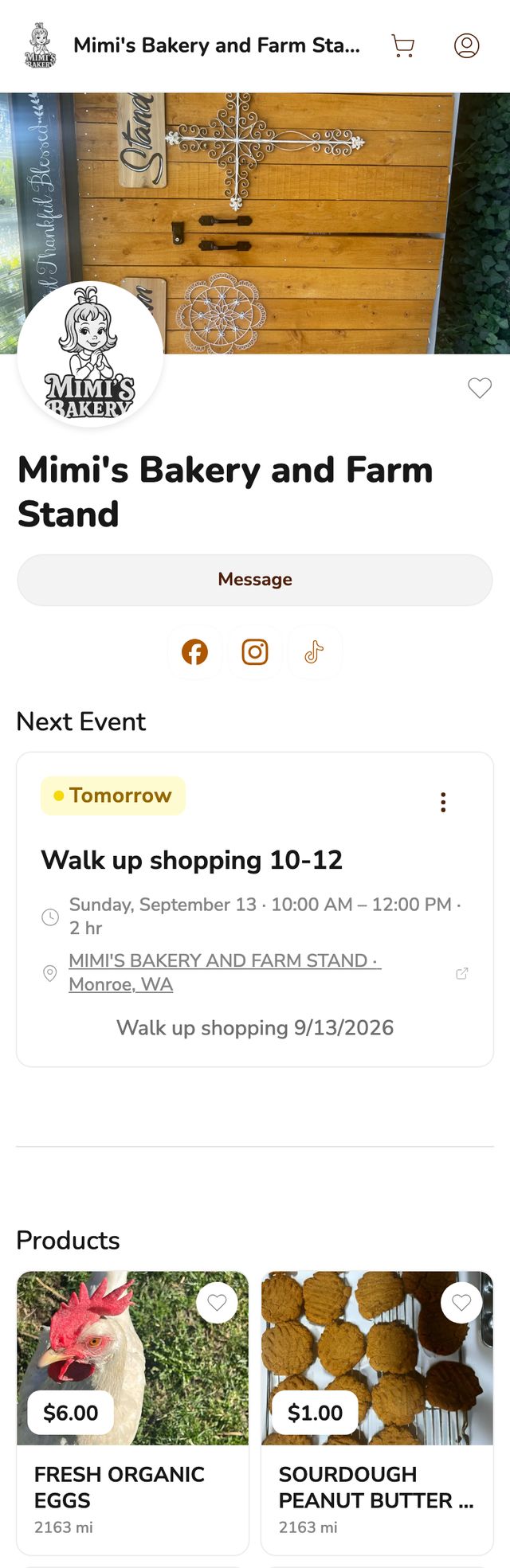
Homegrown is the only platform on this list built from the ground up for cottage food vendors, home bakers, and farmers market vendors. There is no table ordering and there are no commercial kitchen features, just a simple ordering page with local pickup and local delivery you run yourself.
Pricing:
Key features for food vendors:
Pros:
Cons:
Best for: Cottage food vendors, home bakers, and farmers market vendors who want the simplest path from "I take orders through text" to "customers order through a link." If you sell at a farmers market or do porch pickup and want something built for exactly that, this is it.
If you are fielding 15 DMs every Thursday night trying to figure out who wants what and who has paid, a Homegrown storefront replaces that entire process with one link. Customers see your products, order what they want, and pay upfront — so you wake up Friday morning with a clean order list and zero chasing.
The free order volume calculator estimates how many hours DM orders take you each week, so you can see the time one ordering link would give back.
Local Line is built for farms and local food operations that sell through multiple channels — farmers markets, CSA subscriptions, farm stand pickups, and wholesale accounts. It is more powerful than Homegrown or Square Online, but that power comes with a higher price tag and steeper learning curve.
Pricing:
Local Line listed these Core prices and card rate on September 12, 2026.
Key features for food vendors:
Pros:
Cons:
Local Line's account rules are from its help center, checked September 12, 2026.
Best for: Farm stands with 50 or more products, CSA operations, and farms selling through both retail and wholesale channels. If you manage subscriptions, need price lists for different customer types, or coordinate multiple vendors at a shared farm stand, Local Line handles that complexity. For a home baker selling six products at Saturday market, it is overkill.
Shopify is the largest e-commerce platform in the world, and it supports local pickup through its shipping settings. It is not food-specific, but it gives you a full branded website with a blog, about page, and online store.
Pricing:
On Shopify's pricing page, checked September 12, 2026, paying month to month, Basic is $39, Grow is $105 and Advanced is $399, with the same card rates.
Key features for food vendors:
Pros:
Cons:
Best for: Vendors who want more than just ordering — a full branded website with a blog, customer accounts, and room to grow into shipping or delivery later. If you plan to build a brand online beyond your local market, Shopify gives you the tools. If you just need an ordering link for Saturday market, it is more than you need.
Ecwid (now part of Lightspeed) lets you embed a store widget on any website you already have — a WordPress blog, a Wix site, or even a Facebook page. You do not build a new site. You add ordering to the one you have.
Pricing:
Ecwid's plans as of September 12, 2026: Starter is $5 a month, and month to month Venture is $35, Business $65 and Unlimited $149. All four are paid plans. Ecwid adds no transaction fee, and your payment processor sets the card rate.
Key features for food vendors:
Pros:
Cons:
A note on pickup plans: Ecwid's help center lists order pickup on every plan, Starter included. Its pricing page names scheduled pickup and delivery as a feature without saying which plan includes it, so ask Ecwid before you upgrade just for scheduling.
Best for: Vendors who already have a website or blog and want to add an ordering widget without rebuilding anything. If you have a WordPress site, a Wix page, or an active Facebook business page, Ecwid embeds directly into it. The $5 starter plan works for basic ordering, including order pickup.
WooCommerce is a free WordPress plugin that turns any WordPress site into an online store. It is the most customizable option on this list — and the most technical to set up.
Pricing:
WooCommerce's own pricing page puts hosting at $25 to $350 a month for most stores. Bluehost's WooCommerce plans renew at $21.99 and $30.99 a month, and SiteGround's at $17.99 and $29.99, after lower first-term prices.
Key features for food vendors:
Pros:
Cons:
Best for: Vendors who have WordPress experience (or are willing to learn) and want complete control over their store. WooCommerce makes sense if you already run a WordPress blog or website and want to add ordering without paying a monthly platform fee. If "install a WordPress plugin" sounds intimidating, choose something simpler.
GonnaOrder focuses on QR code ordering — customers scan a code at your booth, see your menu, and place an order from their phone. It is popular with food trucks, pop-up shops, and market booths in Europe and increasingly in the US.
Pricing (Euro-based):
GonnaOrder showed these prices when we rechecked on September 12, 2026. Card fees go to whichever payment provider you connect.
Key features for food vendors:
Pros:
Cons:
Best for: Vendors with a permanent or semi-permanent physical location (booth, farm stand, food truck) who want customers to order and pay from their phone while standing at the counter. Less useful for vendors who primarily need online pre-ordering for later pickup.
If you search "best online ordering system," most results push Toast, ChowNow, UpMenu, Clover, and DoorDash. These are restaurant platforms. They solve restaurant problems. Here is why they do not fit small food vendors.
Toast starts its Point of Sale plan at $69 per month, and hardware, card processing and online ordering cost extra. That is a lot of setup for a vendor selling from one booth or porch.
Toast's pricing page, read September 12, 2026, also lists a Starter Kit from $0 a month. It does not publish hardware, card processing or online ordering add-on prices, so ask for a written quote before you compare.
ChowNow's Launch plan starts at $229 a month billed yearly or $249 month to month, plus a $119 to $499 setup fee and 2.95% + $0.29 per transaction. It is commission-free, but the monthly fee assumes you are a restaurant doing thousands in weekly sales. For a vendor doing $500 a month, the plan alone is about 46% of sales.
ChowNow listed that pricing on September 12, 2026.
UpMenu ranges from $49 to $169 per month and is designed around restaurant menus, table ordering, and delivery zones. It has no concept of a farmers market booth or porch pickup.
UpMenu's web ordering plans on September 12, 2026: $49 a month for up to 75 orders, $89 for up to 210 and $169 for unlimited orders, with card processing charged separately.
The core problem with restaurant platforms is not just price. It is that they were built around assumptions that do not apply to your business:
When a restaurant platform DOES make sense: if you open a physical retail location with seating, hire staff, and serve food on-site, then Toast or Square for Restaurants becomes the right tool. Until then, you are paying a restaurant tax on features you will never use.
Most sell a short menu: the median vendor on Homegrown listed 6 products in our August 14, 2026 catalog pull, and only 1 of 219 vendors listed 50 or more.
On August 14, 2026, 219 Homegrown vendors listed 1,804 products. The median vendor listed 6. In all, 159 vendors (73%) listed 10 or fewer, 200 (91%) listed 20 or fewer, and the largest menu had 51 products. These are Homegrown vendors only, so treat them as one sample of small food businesses.
Homegrown vendors by number of products listed
Source: Homegrown catalog pull, August 14, 2026, 219 vendors and 1,804 products.
That is why this guide draws the Local Line line at 50 products. A menu of six or ten products fits on one ordering page, and the price lists and wholesale tools on Local Line, from $79 a month billed yearly plus card processing, would mostly sit unused.
Before you pay for a bigger system, count what you sell in a normal week. If your menu fits on one index card, pick the plan built for a menu that size and put the savings back into ingredients.

The best platform depends on where you are right now — not where you might be in two years. Here is a decision framework based on your actual situation.
Swipe to read the Why column.
| Your Situation | Best Option | Why |
|---|---|---|
| Home baker, 10-20 orders per week, porch pickup | Homegrown ($10/mo) | Built for exactly this. Simple ordering link, local pickup, low cost. |
| Farmers market vendor adding online pre-orders | Homegrown ($10/mo) or Square Online (Free) | Both support market-day pickup. Choose Square if you already use their reader. |
| Already using Square reader, want to add online | Square Online (Free) | Syncs with your existing Square account and inventory. |
| Farm stand with 50+ products, CSA subscriptions | Local Line ($79/mo) | Handles subscriptions, price lists, and multi-vendor complexity. |
| Want a full branded website with store | Shopify ($29/mo) | Full website builder with blog, about page, and expandable store. |
| Already have a website, want to add ordering | Ecwid ($5-49/mo) | Embeds into any existing site without starting over. |
| Run a WordPress blog, want to add a store | WooCommerce (Free + hosting) | Free plugin, total control, no monthly platform fee. |
| Booth or food truck, want QR ordering | GonnaOrder (~$53/mo) or Square Online (Free) | Customers scan and order from their phone at your location. |
If you are not sure where to start: Most vendors in the early stages (under $1,000 per month in online sales) should choose based on simplicity, not features. A platform you actually set up and use beats a more powerful one that sits half-configured. If you want the fastest path from "taking orders through DMs" to "customers order through a link," that is either Square Online (free, especially if you already use Square) or Homegrown ($10 per month, purpose-built for local food vendors).
For a deeper look at what changes when you start taking orders online, read our guide on how to accept online orders as a farmers market vendor. If you already take orders and want to optimize your pickup workflow, see how to offer pickup orders for your food business.
According to the Food Institute, online grocery sales grew 27.6% year over year in June 2025, citing Brick Meets Click and Mercatus, and more shoppers are getting used to ordering food online. The vendors who set up ordering now — even with a simple platform — are the ones who build the customer habits that last.
Square Online's free plan costs $0 per month with no setup fees. You pay 3.3% plus 30 cents per online transaction, which means a $25 order costs you about $1.13 in fees. It stays the lowest-cost option in this guide until your online sales reach about $1,250 a month, when Ecwid's $5 Starter plan at 2.9% + 30 cents costs less. Ecwid's $5 per month Starter plan is the cheapest paid option and charges no platform transaction fees on top of your payment processor.
No. Several platforms give you a standalone ordering page without building a full website. Homegrown, Square Online, and GonnaOrder all provide a shareable link you can text to customers, post on Instagram, or print as a QR code at your booth. You only need a full website if you want a blog, about page, or branded online presence beyond just ordering.
Yes. Square Online works for cottage food vendors in every state where cottage food sales are legal. You add your products, set up local pickup, and share the link. The main limitation is the 3.3% online transaction fee on the free plan — higher than the 2.9% most other platforms charge. If you already use a Square card reader at the market, adding Square Online is the fastest way to start taking orders without a new account.
Setup costs range from $0 (Square Online, WooCommerce plugin) to $499 (ChowNow setup fee). Most platforms for small vendors have no setup fee at all. On a typical $500 month of sales, the platform fee plus card processing runs from about $22.50 a month with Square Online's free plan to about $99.67 with Local Line Core billed yearly, which means paying $950 up front. Budget $10 to $50 per month for the first few months while you build order volume.
No. Homegrown works for any small food vendor who sells through local pickup — cottage food vendors selling from their kitchen, home bakers doing porch pickup, farm stands, and food co-ops. Your storefront is also listed on the Homegrown marketplace, but whether you sell at a market or from home, count on your own customers for most orders. It does not support national shipping, but it handles both local pickup and local delivery, so it fits vendors selling to customers in their area.
Most platforms make it straightforward to export your product list and customer data if you need to switch. If you start with Square Online or Homegrown and grow to the point where you need a full website, wholesale accounts, or multi-location inventory, you can move to Shopify or Local Line without losing your customers. The key is to start with something simple now rather than overpaying for features you do not need yet. For help managing the transition from market selling to online sales, see our guide on how to go from farmers market to online sales.
Guest checkout (where customers enter their name, email, and payment without creating a password or account) is available on Square Online, Shopify, WooCommerce, and GonnaOrder, and Homegrown asks customers to create an account before they order. Ecwid supports guest checkout on paid plans. Local Line takes guest orders on public price lists and asks for an account only on private ones. For food vendors, guest checkout matters because your customers are ordering a dozen cookies, not signing up for a software platform. Every extra step between "I want that" and "order placed" loses sales.
Once you have your ordering system set up and orders are coming in, the next challenge is keeping track of everything without losing your mind. Our guide on how to handle online orders without losing your mind walks through order management workflows that scale from 10 to 100 orders per week. And if you want to add a pre-order system to your ordering page so customers can reserve products before market day, see how to create a pre-order system for your food business.



