
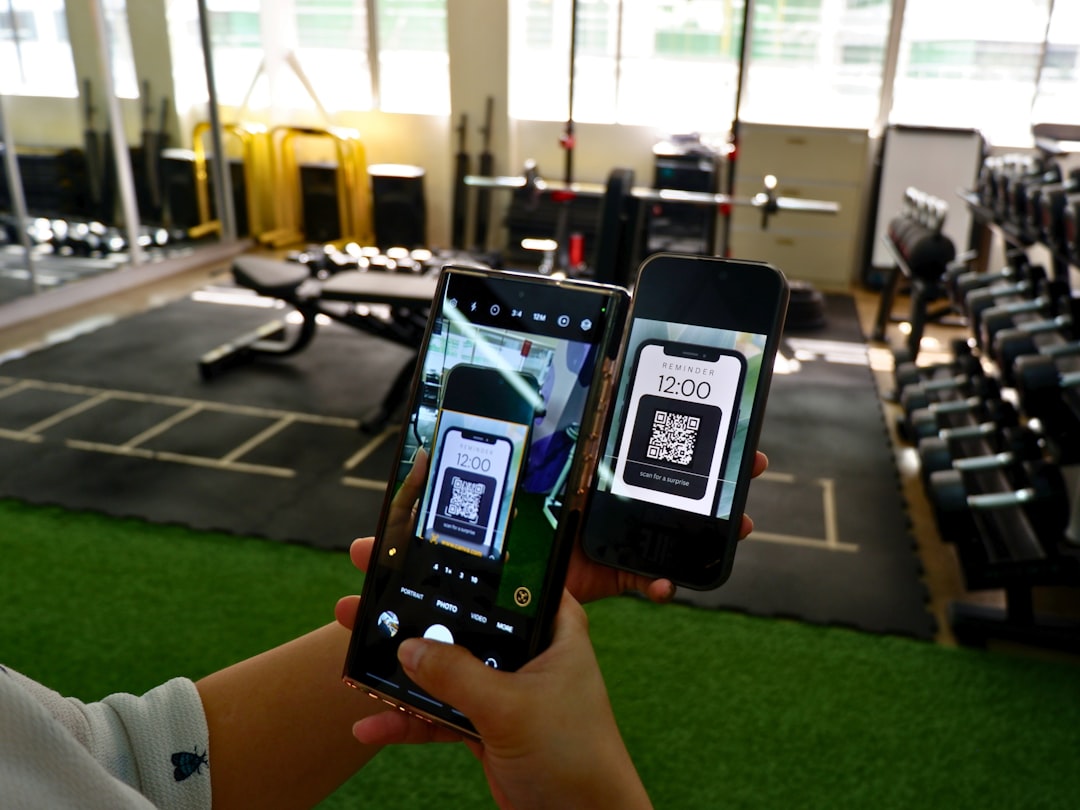


A QR code at your farm stand bridges the gap between a one-time walk-in customer and a repeat online customer. When someone scans your QR code, they land on your ordering page where they can see your full product list, pre-order for next week, and pay online. The customer who would have bought sourdough at your stand once and forgotten about you instead becomes a weekly pre-order customer who orders every Monday from their couch. This is exactly why UNH Extension recommends claiming your Google Business Profile — customers who find you on Maps need a way to order, and a QR code on your Google listing connects the two. Setting up a QR code takes 5 minutes and costs nothing beyond the ordering page it links to.
You can make the code itself with our free QR code generator.
The short version: Create an ordering page through a platform like Homegrown ($10 per month). Generate a free QR code using any QR code generator (qr-code-generator.com, Canva, or your phone's built-in QR tool). Print the QR code on a sign at your stand: "Scan to see our full menu and pre-order for next week." The QR code links to your ordering page, not your Instagram or website. Every customer who scans it can browse your products, order for next week's pickup, and pay without ever DMing you. Place the QR code at your checkout, on your display sign, on business cards, and on product packaging. The vendors who use QR codes at their farm stands consistently report that 15 to 30% of walk-in customers scan the code and become online pre-order customers within two weeks.
A farm stand without a QR code has one sales channel: walk-in traffic. A customer shows up, buys something, and leaves. Whether they come back next week depends on whether they remember you, whether their schedule allows it, and whether they drive past your road.
A farm stand with a QR code has two sales channels: walk-in traffic AND online pre-orders. The QR code converts walk-in customers into online customers who can order anytime, from anywhere, regardless of whether they drive past your road.
Here is the math:
The QR code is a $0 marketing tool that can add $5,000 to $10,000 in annual revenue by converting one-time visitors into repeat online customers.
If you do not have an ordering page yet, create one. An online ordering page takes 15 minutes to set up and gives you a permanent URL that you can convert to a QR code. Add your products, photos, prices, and pickup schedule.
The URL you convert to a QR code should be your ordering page, not your Instagram profile, not your Facebook page, and not a generic website. The customer who scans should land on a page where they can immediately browse products and order.
Use any free QR code generator:
Enter your ordering page URL. Download the QR code as a PNG or SVG file. That is it.
Before printing anything, test the QR code with your phone camera. Open your camera app, point it at the QR code on your screen, and make sure it opens your ordering page correctly. Test on both iPhone and Android if possible.
Print the QR code large enough to scan from 2 to 3 feet away. The QR code itself should be at least 2 inches by 2 inches. Larger is better — a 3 by 3 inch code scans more reliably, especially for older phones or when lighting is not ideal.
The more places your QR code appears, the more scans you get. Here are the highest-converting placements:
Your main display sign at the stand should include the QR code with clear text explaining what happens when customers scan it:
``` PRE-ORDER FOR NEXT WEEK Scan to see our full menu and order for Saturday pickup [QR CODE] ```
Place this at eye level (4.5 to 5 feet off the ground) where every customer sees it while browsing your products.
A small table tent (folded card stock) at the point where customers pay is the highest-conversion placement because customers are already in buying mode:
``` Want this every week? Scan to pre-order [QR CODE] No more sold-out surprises. ```
Every business card should include your QR code. Customers take the card home, and the QR code is available whenever they decide to order. A business card with a QR code turns a one-time interaction into a permanent connection.
Stick a small label with your QR code on every jar, box, or bag. When a customer finishes your jam and wants more, they scan the label and order a replacement. This turns every product into a marketing vehicle.
If you drive a truck or car with your business name on it, a QR code decal on the rear window lets people at red lights or in parking lots discover your ordering page. This is a bonus touchpoint, not a primary one.
The QR code should link to ONE place: your ordering page. Not a Linktree with 8 options. Not your Instagram profile. Not your Facebook page. Not a PDF menu.
When a customer scans, they should immediately see:
The entire flow should take under 3 minutes. Any additional clicks, pages, or decisions between the scan and the completed order reduce conversion. The simpler the path from scan to purchase, the more customers complete the order.
Homegrown costs $10/month with no commission, plus card processing of 2.9% + $0.30 per order, and provides exactly this: one page with products, prices, payment, and pickup or delivery scheduling. The URL is permanent, so your QR code never needs to be reprinted — you print once and it works all season. Linking your QR code to a Square Online store works for checkout but charges 3.3% plus 30 cents per transaction and requires building a full website around what should be a simple product list. A Google Form collects order requests but does not collect payment — you end up chasing Venmo requests after every scan, which defeats the purpose of a frictionless QR code flow. Homegrown does not design your QR code sign, choose where to place it, or write the call-to-action text — this guide covers those. What it does is give the QR code a destination where scanning turns into a paid order in under 3 minutes.
Simply having a QR code is not enough. You need to give customers a reason to scan:
"Pre-order so you never miss out. Our sourdough sells out every week by 10 AM. Scan the code and yours is guaranteed."
"Order from your couch. Scan the code, pick what you want, and it is ready when you arrive Saturday. No waiting in line."
"We have more products online than we can display here. Scan to see everything — including items we only make for pre-orders."
"Pre-order customers get first access to seasonal specials before we post them on Instagram."
The most effective way to get scans is to tell customers directly while they are at your stand: "If you want to make sure you get sourdough next week, scan the QR code on the sign over there. You can pre-order and it will be waiting for you when you arrive."
A verbal prompt combined with a visible QR code converts at 2 to 3 times the rate of a QR code alone.
| Component | Cost |
|---|---|
| QR code generation | Free |
| Ordering page (Homegrown) | $10/month |
| Printing QR code on display sign | $5-$15 (part of your sign) |
| Table tent with QR code | $2-$5 (printed at home) |
| Business cards with QR code | $20-$30 (250 cards) |
| Total first month | $37-$60 |
| Ongoing monthly | $10 |
If the QR code converts 5 walk-in customers per month into online pre-orderers, and each spends $15 per week for 4 weeks, that is $300 per month in new recurring revenue from a $10 per month investment. The ROI is 30:1.
For more on building your overall farm stand marketing without an advertising budget, see our guide on how to drive traffic to a farm stand for free. And for optimizing your farm stand signage to complement your QR code, see our guide on farm stand signage.
No. The QR code links to your ordering page URL, which stays the same. When you update products on your ordering page, the QR code automatically reflects the changes because it points to the live page. You never need to reprint your QR code unless you change your ordering page URL.
79% of consumers say they are more likely to buy a product that includes a scannable QR code, according to Bitly's 2025 QR statistics report. Most smartphone users know how to scan QR codes — adoption became mainstream during the pandemic. For the few who do not, include text below the QR code: "Open your phone camera, point it at this code, and tap the link that appears." This covers the small percentage of customers who need guidance.
A static QR code links directly to a URL and cannot be changed after creation. A dynamic QR code routes through a redirect service and can be updated to point to a new URL later. For most farm stands, a static QR code linking to your ordering page is sufficient. If you think you might change your ordering platform in the future, a dynamic QR code gives you flexibility to update the destination without reprinting.
At least 2 inches by 2 inches for reliable scanning from 2 to 3 feet. For signs viewed from 5 or more feet away, make the QR code 4 inches by 4 inches or larger. The general rule: 1 inch of QR code per 3 feet of scanning distance.
If you use a dynamic QR code generator with analytics (like Bitly or QR Code Generator Pro), you can see how many scans you get per day and week. If you use a static QR code, you cannot track scans directly but can monitor ordering page traffic through your platform's analytics.
A QR code without an ordering page has nowhere useful to point. Set up an ordering page first (15 minutes), then create your QR code. Linking to your Instagram or a PDF menu is significantly less effective because neither allows customers to order and pay directly.
For products you sell in jars, boxes, or bags that customers take home, yes — a small QR code label on the packaging turns every product into a reorder tool. For products consumed on-site or unwrapped items (loose bread, produce), a QR code on the product itself is not practical. Focus on your display sign, checkout area, and business cards instead.
If customers scan but do not order, the problem is usually one of three things. First, your ordering page might be confusing or incomplete — if customers scan and see an empty menu or unclear pricing, they leave. Make sure your page has product photos, accurate prices, and a clear pickup schedule before printing a single QR code. Second, the call-to-action on your sign might be too vague. "Learn more" does not motivate action. "Pre-order for guaranteed Saturday pickup" does. Tell customers exactly what they get by scanning. Third, you might be linking to the wrong destination. A QR code that opens your Instagram or Facebook page instead of your ordering page loses 80% of potential orders because those platforms do not have a direct checkout flow. Always link to a page where the customer can browse, select, pay, and schedule pickup in one session.
Every transaction. It takes 2 seconds to say "If you want to pre-order next week, scan the code on the sign — your order will be set aside before we open." Vendors who mention the QR code to every customer see 3 to 5 times more scans than vendors who rely on the sign alone. You are not being pushy — you are offering a convenience. The customer who drives 20 minutes to your stand and finds their favorite product sold out will wish they had known about pre-ordering. Make the verbal prompt part of your checkout routine the same way a cashier at a coffee shop asks "do you want a receipt?"
Yes, and this is a smart secondary use. Create a separate QR code (different from your ordering QR code) that links to your Google Business Profile review page. Place it on a small sign at checkout: "Loved your visit? Leave us a Google review — it helps your neighbors find us." Google reviews directly improve your search ranking for terms like "farm stand near me." Five to ten reviews in your first month makes your listing significantly more visible. Just keep this QR code separate from your ordering QR code so each one has a single, clear purpose.



