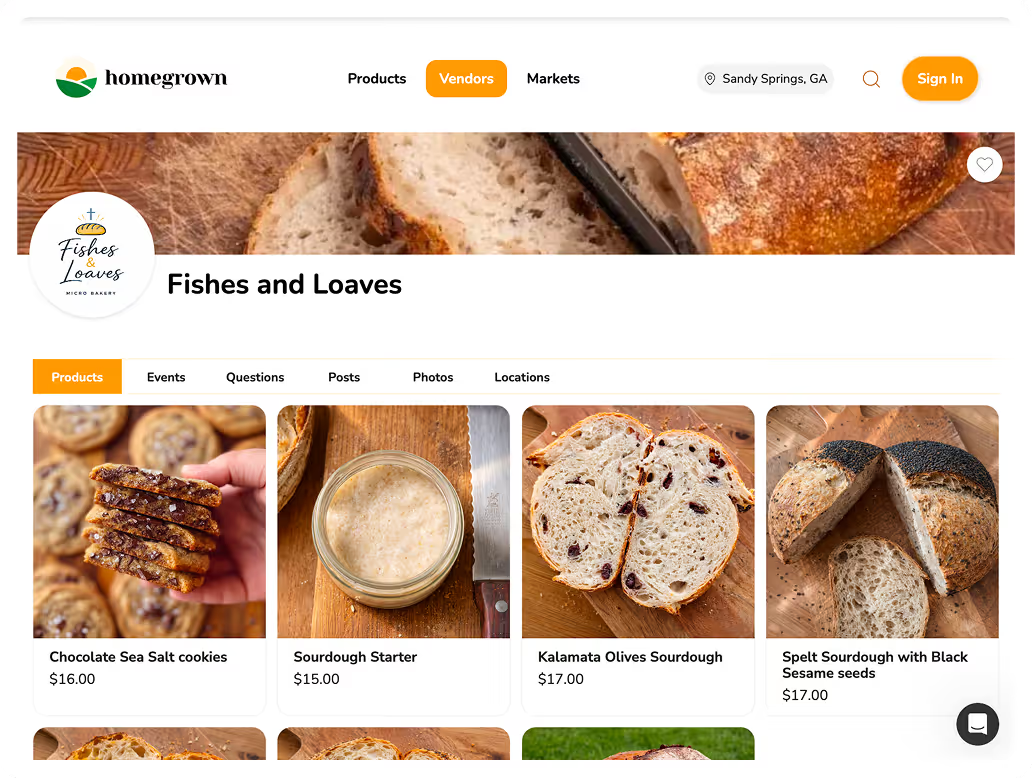
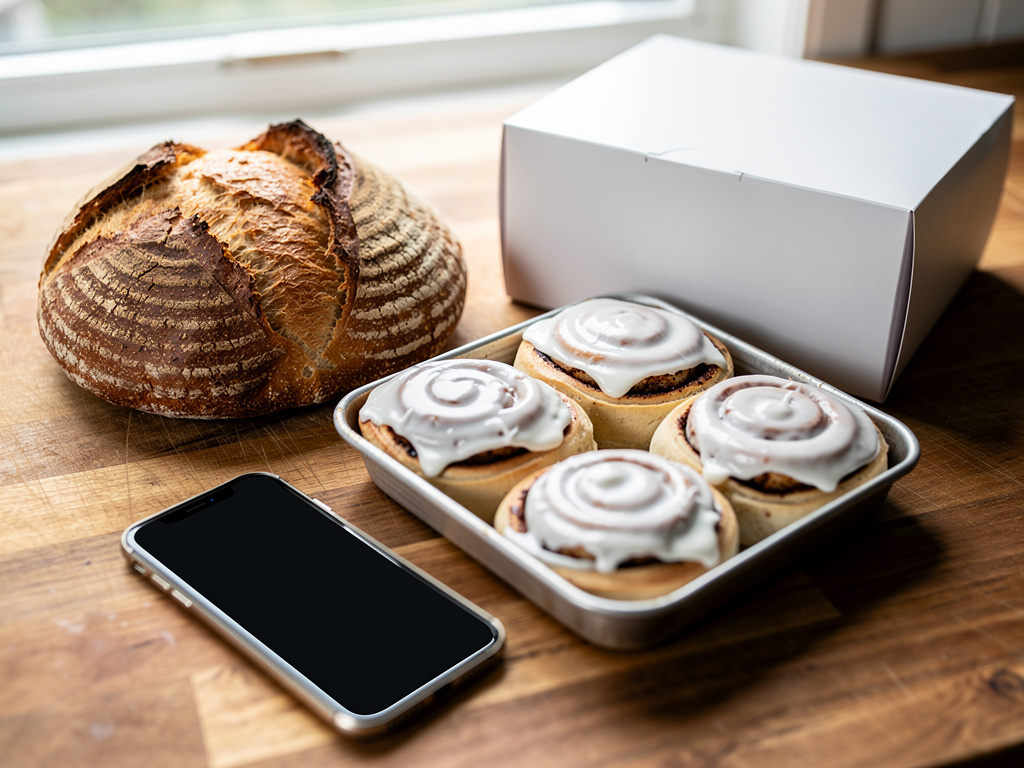


The short version: A home bakery website has four main jobs: show your menu with prices, say when and where people pick up, list what is in each product, and take the order and the payment so you are not sorting it out in text messages. You can get all four from an ordering storefront like Homegrown ($10 a month billed annually, no platform fee, card processing of 2.9% + $0.30 paid by you), from a website builder like Squarespace Basic ($19 a month billed annually plus a 2% transaction fee and card processing from 2.9% + $0.30), or from Square Online's Free plan ($0 a month, 3.3% + 30¢ per online card payment), and on a $30 order the baker pays $1.17, $1.77 and $1.29 in fees on those three, before any monthly plan. Texas requires a cottage baker who sells online to post the required label information, everything except the address, on the website before taking payment, so verify your state's current rules before you launch.
Checked on September 29, 2026: prices on Homegrown's signup page and the pricing pages of Squarespace, Square, Hotplate, Carrd and Porkbun, the Texas Department of State Health Services (DSHS) cottage food page, and Google's Business Profile help pages. Homegrown customers create an account to place their first order, Homegrown has no drops feature (a timed release with a countdown), you cannot connect your own domain name to a Homegrown storefront today, and you should plan on most orders coming from people you send to your own link.
A website for a home bakery is not a design project. It is one page, or a few, that answers the questions your customers already text you: what are you baking this week, how much is it, when can I get it, and does it have nuts. If your site answers those and takes the order, it is doing its job. Everything else is decoration.
This guide covers what to put on the site, the four ways to build it, and what the tools that take the payment themselves cost you on a real $30 order. It covers how to keep your home address private, what one state requires on the website itself, and how to set it all up in an afternoon. It is written for a part-time baker selling from a home kitchen, not a storefront bakery with a lease and a staff.
A home bakery needs one link where customers can see the menu and place a paid order, and for most part-time bakers that link does the job of a website. What it does not need is a five-page brochure site that shows your bread and then says "DM to order." That kind of site adds a monthly bill and leaves you doing the order-taking by hand.
Here is the test. If a customer can go from your link to a paid order with a pickup time, without messaging you, you have what you need. If they cannot, you have a menu, not a website that works.
Three signs you are ready for a real ordering link:
If you are still choosing between tools, our comparison of the best platforms for selling baked goods online lines up the options side by side. If you are not sure whether you need a website, a marketplace or just an order form, this breakdown of the three walks through when each one fits.
If you want your home bakery website to take the order and the payment, not just show the menu, set up a Homegrown storefront. The plan costs $10 a month on annual billing, your menu, pickup times and payment live on one link, and you can have it live the same afternoon.
A home bakery website needs nine things, and all of them fit on one scrolling page. About half of Homegrown's bakery vendors (89 of 184 on September 29, 2026) list 4 to 10 products, and that many fits on one page. Customers do not read a bakery site like a book. They scan for the menu, the price and the pickup day, then order or leave.
What to leave off: a blog you will not keep up, a gallery of every cake you ever made, a "coming soon" page, and a contact form that is the only way to order. Each of those makes the page longer without making an order easier.
If you take custom cake orders, give them their own line with a starting price and a lead time. Our guide to taking custom orders as a home bakery covers how to cap and price custom work so it does not eat your week.
A home bakery website can be built four ways: an ordering storefront, a pre-order tool built around timed releases, a general website builder, or a simple one-page site with a payment link. They differ less in how they look and more in who does the order-taking, you or the software. Setup runs from about 15 minutes on Homegrown, according to its signup page, to what we would expect to be a weekend or more on a website builder.
Scroll sideways to see every column.
| Type | Example | What it does | What you still do by hand | Best for |
|---|---|---|---|---|
| Ordering storefront | Homegrown | Menu, prices, pickup schedule, allergens and card checkout on one link | Baking, and sending people to the link | A weekly menu with pickup on set days |
| Pre-order tool built around drops | Hotplate | Timed pre-order windows with a countdown, card checkout | Planning each release | Bakers who sell out in scheduled releases |
| Website builder | Squarespace | A multi-page designed site with an online store | Design, setup of pickup and ordering rules | Bakers who want a full custom site and have time to build it |
| One-page site | Carrd | A single page, on your own domain with the Pro Standard plan, with forms and embedded payment buttons | Tracking orders, pickup times and who paid | A menu page that points to another way to pay |
Features come from each company's own pricing or product page, checked September 29, 2026.
Which one fits comes down to how you sell:
On a $30 order, the baker pays $1.17 in card processing on Homegrown and on Hotplate when your customers pay its fee, $1.29 on Square Online's Free plan, and $1.77 on Squarespace Basic once its 2% transaction fee is added. The monthly plan sits on top of that. Here is the full fee stack for a bakery doing 40 orders a month at $30.
Scroll sideways to see every column.
| Platform | Monthly plan | Trial period | Platform or transaction fee | Card processing | Customer pays on a $30 order | Baker pays on a $30 order | Baker pays in a month of 40 orders | Baker pays in a year of 480 orders |
|---|---|---|---|---|---|---|---|---|
| Homegrown | $10 billed annually ($12.50 billed monthly) | 7 days | None (0% commission) | 2.9% + $0.30, paid by the baker | $30.00 | $1.17 plus the plan | $56.80 ($59.30 billed monthly) | $681.60 |
| Hotplate, customer pays the fee | $0 | None (no plan) | 5% + $0.55, paid by the customer | 2.9% + $0.30, baker pays | $32.05 | $1.17 | $46.80 | $561.60 |
| Hotplate, baker covers the fee | $0 | None (no plan) | 5% + $0.55, paid by the baker | Also 2.9% + $0.30 from the baker | $30.00 | $3.22 | $128.80 | $1,545.60 |
| Square Online, Free plan | $0 | None (free plan) | None listed | 3.3% + 30¢ online | $30.00 | $1.29 | $51.60 | $619.20 |
| Squarespace Basic | $19 billed annually ($25 billed monthly) | 14 days | 2% transaction fee | From 2.9% + $0.30 | $30.00 | $1.77 plus the plan | $89.80 ($95.80 billed monthly) | $1,077.60 |
We checked every price in this table on each company's pricing page (and Homegrown's signup page) on September 29, 2026. Card processing is figured on the $30 price; on a total that includes tips, tax or fees it runs a few cents higher. Hotplate's own pricing example, a $30 subtotal with a tip and sales tax, shows $1.27 in payment processing. Hotplate's pricing page says you can pay its fee yourself or pass it to the customer. When your customers pay the fee, they pay $984.00 in Hotplate fees over 480 orders. Squarespace's Core plan ($29 billed annually) drops the transaction fee to 0%. Carrd is not in this table because it does not take the payment itself: its Pro Standard plan ($19 a year) adds payment forms and embeds from services like Stripe and PayPal, and that service's own card rate applies to each order.
The cheapest line depends on who you want to pay. Hotplate costs you the least when your customers cover its fee, but your $30 order shows up at checkout as $32.05. Square's Free plan has no monthly bill and a higher card rate. Homegrown and Squarespace charge a flat plan, and Squarespace Basic also takes 2% of each online sale, which makes it the most expensive row here unless you choose to cover Hotplate's fee yourself. If the Squarespace fee is new to you, our explainer on the Squarespace transaction fee shows when upgrading to Core pays for itself.
You do not need a domain name of your own to sell, but a .com with your bakery's name can cost about $11 a year and is easy for customers to remember. Porkbun listed .com domains at $11.08 a year on September 29, 2026, with free URL forwarding, which sends anyone who types your domain to whatever link you choose.
How each option handles a domain:
You cannot connect your own domain name to a Homegrown storefront today. We checked Homegrown's signup page on September 29, 2026. If you want your own .com on your boxes, register it at a domain company and use its URL forwarding to send visitors to your storefront link. Visitors will land on the findhomegrown.com address.
Pick a domain that matches the name on your labels and your Instagram handle. If you are still naming the bakery, check that the .com is open before you print anything. Our list of bakery name ideas includes how to check a name before you commit to it.
Your menu page should show every product with a photo, a price for each size, and what is in it, and you can aim for 4 to 10 products; about half of Homegrown's bakery vendors list that many. A short menu is easier to bake, easier to photograph and easier for a customer to decide from.
In a pull of the Homegrown catalog on September 29, 2026, 1,436 of the 2,784 listings were in the Bakery category, from 184 of the 312 vendors. We counted a vendor as a bakery vendor if they had at least one Bakery listing, then counted all of that vendor's listings. The median bakery vendor had 7 listings. 471 of the 1,436 bakery listings (33%) offered two or more sizes or flavors under one listing, and 332 of them (23% of all bakery listings) set a different price for at least one of those options.
How many listings Homegrown bakery vendors have
Source: Homegrown catalog pull, September 29, 2026. 184 vendors with at least one Bakery listing, counted by all of their listings.
Most bakery vendors sit between 1 and 20 listings, and only 14 of 184 list more than 20. Sizes and flavors carry much of the menu. A loaf offered as a half and a full, or cookies sold by the half dozen and the dozen, is one listing with two prices, not two listings.
A menu page that works has these parts for each product:
Post your pickup days, times and general area on the site, and send the exact address only to people who have placed an order. That keeps strangers from showing up at your door on a Tuesday and still gives paying customers everything they need.
The same idea applies on Google. Google's own Business Profile rules say a business with no permanent on-site signage should be listed as a service-area business, and Google's Business Profile sign-up guide says a business with no storefront where it receives customers must hide its address. A home bakery with no sign out front that delivers, or meets customers away from home, fits that description. If customers only pick up at your door, read Google's guidelines to see which setup applies before you list your address. You can list up to 20 service areas by city or postal code instead, and Google says your overall area should stay within about 2 hours of driving time from where you are based.
A pickup section that works reads like this:
For more on setting cutoffs and pickup windows, see our guide to taking pre-orders for a home bakery.
Some states put rules on the website itself when you sell cottage food online, and Texas is a clear example: the label information has to be on your website before the customer pays. Other states set their own rules on online sales, shipping and where the food can be handed over. Read your own state's cottage food page before your site goes live.
The Texas Department of State Health Services cottage food page says cottage food may be sold online when the customer buys online from you, when you, an employee or a household member personally delivers it, and when, before you accept payment, you post all the required label information as a legible statement on your website. The label includes your bakery's name, your address or a registration number, the product's name, any major allergens, and the statement "THIS PRODUCT WAS PRODUCED IN A PRIVATE RESIDENCE THAT IS NOT SUBJECT TO GOVERNMENTAL LICENSING OR INSPECTION." We checked that page on September 29, 2026.
The Texas page also says the yearly gross income limit for a cottage food operation is $150,000, and the law behind it, Senate Bill 541 (in effect since September 1, 2025), says DSHS adjusts that figure each year for inflation, so check the page for the current number. It lets you put a registration number from the DSHS Online Licensing Registry on the label instead of your home address, and it says the address or that number goes on the label after the customer pays. That is how Texas squares with keeping your street off the website: register, use the number, and if you are unsure what your website statement must include, ask DSHS or your local health department before you launch. If you sell baked goods that need refrigeration, like cream or custard pies and cakes, the law calls them time and temperature control for safety (TCS) foods, and registration with DSHS is required, not a choice. Those foods also need the date they were made on the label, plus this statement in at least 12-point type on the label or the receipt: "SAFE HANDLING INSTRUCTIONS: To prevent illness from bacteria, keep this food refrigerated or frozen until the food is prepared for consumption." SB 541 says the statement you post before payment must carry the labeling information from that TCS section, so the safe handling statement goes on your website too.
For a Texas baker, that means your website needs:
After the customer pays, your address or your DSHS registration number goes on the label that goes out with the order.
Texas also requires the in-person delivery described in the callout above for every online order. If you plan on porch pickup like the Plano example above, ask DSHS or your local health department whether a customer collecting an online order at your door counts before you take online payments.
Texas is one state. Rules on online sales, delivery, shipping and label wording differ from state to state and change when legislatures meet. Before you publish your menu, read your own state health or agriculture department's cottage food page, and verify your state's current rules again each year.
You can set up a working home bakery website in one afternoon, about 3 hours by our estimate, if you have your menu, prices and photos ready before you start. The order below keeps you from redoing work.
If you already have a following, step 8 is where the site starts to pay off. Send the link to the 10 or 20 people who order most, not just a post to everyone.
Your bakery photos need to be clear, well lit and of the real product, and a phone near a window is enough. In the Homegrown catalog pull, 150 of 1,436 bakery listings (10.4%) had no photo at all, and 143 of 184 bakery vendors had a photo on every bakery listing. A listing with no photo asks a customer to guess.
What makes a photo work on a bakery site:
A second photo helps on products people cannot picture, like a filled cookie or a layered bar. 458 of the 1,436 bakery listings (31.9%) had two or more photos.
Each product description should say what it is, how many or how big, what is in it, and how to store it, in two to four short sentences. In the same catalog pull, 451 of 1,436 bakery listings (31%) had no description at all, so a short one already puts you ahead of about a third of the bakery listings on Homegrown.
A description that answers the usual questions:
Write it once and reuse the ingredient and allergen line from your label. When the website and the label match, customers trust both. Update the description the same day you change a recipe, because a customer with a nut allergy reads the website, not your recipe card.
If what you really want is one link that shows this week's menu and takes a paid order for a set pickup time, Homegrown is built for that. It costs $10 a month billed annually ($12.50 billed monthly), with no percentage fees beyond standard payment processing of 2.9% + $0.30, which you pay and your customer does not.
How it compares for a home bakery:
What Homegrown has that matters for a bakery site: sizes and flavors under one listing, each with its own price; an allergens and ingredients field on every listing; a pickup schedule with set days and time windows, including pickup from your home; order prep time, so nobody orders Saturday bread on Friday night; and a built-in QR code for your boxes and booth sign. It also calculates and remits sales tax.
What it does not do: it will not connect your own domain today, it has no drops feature, and it is not a full website builder with a blog or extra pages. Customers create a Homegrown account to place their first order. Your storefront is listed on the Homegrown marketplace, but plan on most orders coming from people you send to your own link.
Local customers find a home bakery website through the places you already are, not through search at first. For the first few months, expect most visits to come from the link you share, not from Google.
Five places to put your link:
Put the same link in all five places. If you change tools later, you only need to update five spots, not fifty old posts.
A common mistake is building a site that shows the menu but cannot take an order, so every sale still ends in a text thread. It costs you a monthly bill and saves you no time.
Other mistakes to avoid:
Bakers who run this well treat the website as the place where the week gets decided, not a brochure. They set the menu and the cutoff before the week starts, send the link, and bake to the order count. That one habit is what turns a website from a cost into a tool.
They also keep the menu short on purpose. A baker who offers 6 products well can photograph them in one session, keep ingredients in stock, and bake in fewer batches. When a new flavor goes on, an old one comes off.
Put the cutoff in the first line of your menu, not the last: "Orders close Wednesday at 8 p.m. for Saturday pickup." A Wednesday 8 p.m. cutoff for Saturday morning pickup gives you Thursday to shop and Friday to prep and bake from a known order count, and every loaf you bake is already paid for.
Finally, they check their site on a phone every week. A customer who taps your link in a text or on Instagram sees it on a phone first, so if the menu is hard to read on a phone screen, fix that before anything else.
You need one link where customers can see your menu, prices and pickup times and place a paid order. For most part-time home bakers, an ordering storefront or a free Square Online plan does that job. A full custom website is optional and makes sense when you want several pages and have time to build them.
A website for a home bakery costs from $0 a month (Square Online's Free plan, with 3.3% + 30¢ per online card payment) to about $19 to $25 a month for a website builder like Squarespace Basic, which also takes a 2% transaction fee. Homegrown is $10 a month billed annually with 2.9% + $0.30 card processing and no platform fee. A .com domain can add about $11 a year. These prices were checked on September 29, 2026.
A home bakery website can be a single page with the menu and prices, the order cutoff, pickup days and area, ingredients and allergens, photos, a short about line and a way to reach you. Add a separate page only for something with its own questions, like custom cakes. Fewer pages means fewer things to keep up to date.
No. List your neighborhood or cross streets and your pickup times, and send the exact address in the order confirmation. Google's Business Profile rules also say a business with no storefront where it receives customers must hide its address and list service areas instead. If customers pick up at your door, check Google's guidelines to see which setup fits.
In many states you can, but the rules differ. Texas allows online sales when the customer buys online from you and you, an employee or a household member delivers in person, and it requires the label information, everything except the address, to be posted on your website before payment. Read your own state's cottage food page before you take online orders.
Squarespace is better if you want a designed site with several pages and are willing to set up ordering and pickup yourself. An ordering storefront is better if your main need is taking paid orders for set pickup days. On a $30 order, Squarespace Basic costs the baker $1.77 in fees plus the plan, and Homegrown costs $1.17 plus its $10 monthly plan (billed annually).
These guides pick up where a home bakery website leaves off, from the startup steps to the order rules that make the site work on bake day:
A home bakery website needs the nine things in the checklist above, all on one page, starting with your menu with prices, a cutoff, pickup times, what is in each product, and a way to order and pay. Write the menu first, take the photos in one session, check your state's cottage food page, and pick the tool whose fee stack fits how you sell. On a $30 order, the per-order fees in this guide run from $1.17 to $3.22, a gap of about $2, so pick for how you sell, not for the fee alone.
Once it is live, give it four weeks before you judge it. Send the link every week, keep the cutoff the same, and count how many orders arrive without a single text message. That number tells you whether the site is working.
If you want that as one link your customers can order from, start your Homegrown storefront for your home bakery. Add this week's menu, set your Saturday pickup window and cutoff, and send the link to your regulars tonight.