


Getting paid cleanly and keeping good records are two of the least glamorous but most important parts of a food business. For custom, bulk, and wholesale orders especially, a proper invoice makes you look professional, helps you get paid on time, and gives you the records you need at tax time. Plenty of free tools can do this, but they vary a lot, so the trick is knowing what to look for rather than grabbing the first one you find. This guide covers free invoicing tools for food vendors: what invoicing does for you, what to look for, and when you need it versus a storefront.
The short version: A food vendor needs a clean way to invoice and get paid, especially for custom, bulk, and wholesale orders, and to keep records for taxes. Several free invoicing tools exist, from dedicated invoicing apps to payment processors with built-in invoicing to free tiers of accounting software, and the right one depends on what you need. Look for free invoicing, easy payment acceptance, clean records you can export, and simple use. For everyday retail sales, though, a storefront that takes the order and payment together is simpler than invoicing each customer. Keep records either way, since the income is taxable. Homegrown handles retail orders and payment together, while invoicing tools fill the gap for custom and wholesale. This is general information, not legal or tax advice.
This guide covers why you need invoicing, what to look for in a free tool, the types available, how invoicing fits with records and taxes, when to use invoicing versus a storefront, and mistakes to avoid. This is general information, not legal, tax, or financial advice.
A food vendor needs invoicing to look professional, get paid on time, and keep clean records, especially for custom orders, bulk jobs, and wholesale accounts where a simple retail sale isn't enough. An invoice is how you bill a business or a big order properly.
Why invoicing matters:
The takeaway: invoicing makes you look professional, helps you get paid, and creates records, especially for custom, bulk, and wholesale orders. The rule is to invoice properly for the orders that need it, which is part of tracking your income and expenses.
You should look for a tool that creates clean invoices for free, makes it easy for customers to pay, keeps exportable records, and is simple to use, without hidden costs that appear as you grow. The right features matter more than the brand name.
Here's what to evaluate:
| Feature | Why it matters |
|---|---|
| Free invoicing | Create and send invoices at no cost |
| Easy payment | Let customers pay by card or app simply |
| Clean records | Track and export your income for taxes |
| Simple to use | Get set up fast without a learning curve |
| Clear pricing | Know what's free and what triggers a fee |
What to prioritize:
The takeaway: look for free invoicing, easy payment, exportable records, simplicity, and transparent fees, and verify the current terms yourself. The rule is to choose on the features you need and confirm what's actually free, since tool terms change over time.
The free tools available fall into a few types: dedicated invoicing and accounting apps with free tiers, payment processors that include invoicing, and simple template-based approaches. Each fits a different need.
The main types:
Because free tiers and features change often, confirm the current terms of any tool before you rely on it, rather than assuming it's still free or still does what you need.
The takeaway: free tools range from accounting app free tiers to payment-processor invoicing to simple templates, each fitting a different need. The rule is to match the type to your volume and needs, and always verify the current terms.
Invoicing fits directly into your records and taxes: every invoice documents income, which you must report, so good invoicing makes tax time far easier. Clean records are both required and a real time-saver.
How it connects:
The takeaway: invoices are income records, so good invoicing directly supports your taxes and reduces errors. The rule is to keep every invoice organized as part of your records, alongside your cottage food taxes.
You need invoicing for custom, bulk, and wholesale orders that require terms and deposits, and a storefront for everyday retail sales where the customer just orders and pays. Most vendors benefit from both.
How to tell which you need:
The takeaway: use a storefront for everyday retail and invoicing for custom, bulk, and wholesale orders, and most vendors use both. This all builds on the fundamentals of starting a cottage food business. The rule is to match the tool to the order type, keeping retail simple and invoicing the bigger jobs, as part of learning how to sell food from home.
The biggest mistakes are assuming a tool stays free, ignoring payment fees, not keeping records, and invoicing when a storefront would be simpler. Each is avoidable.
Mistakes to avoid:
The takeaway: the mistakes that matter most are assuming tools stay free, ignoring fees, poor records, and over-invoicing retail, all avoidable. The rule is to verify terms, account for fees, keep clean records, and use the simplest tool for each order type.
For everyday retail orders, invoicing each customer is more work than you need, and a storefront that takes the order and payment together is simpler. That's what Homegrown provides.
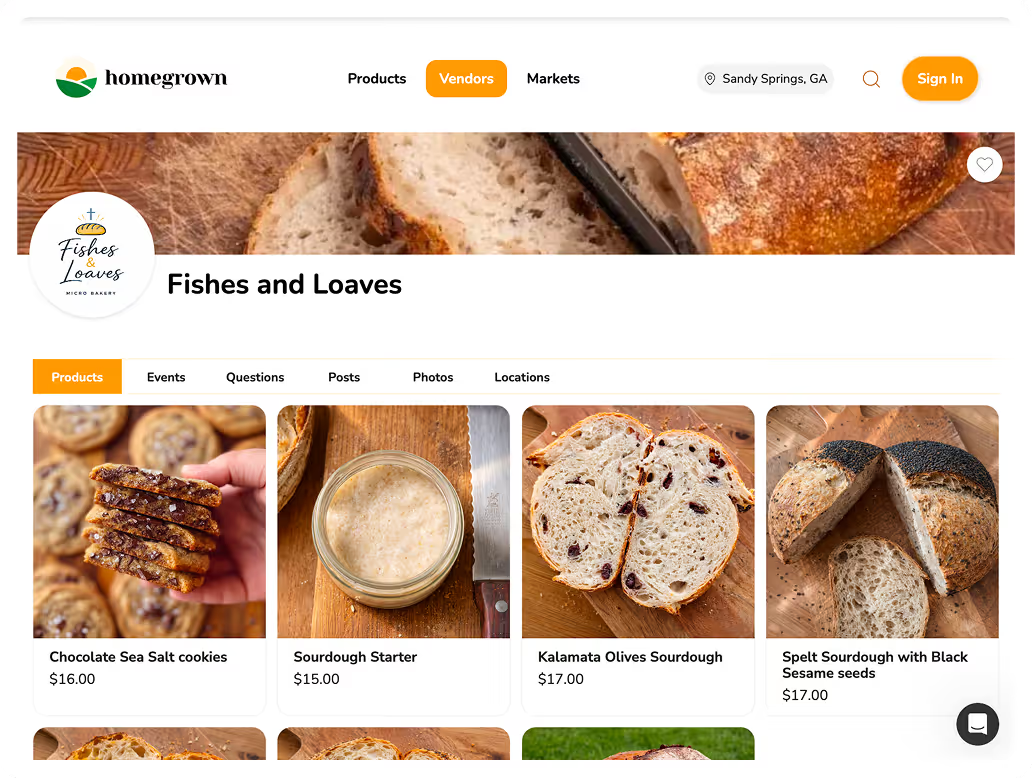
Homegrown gives you an online storefront where customers order and pay in one step, with clean records of every sale, all for a flat $10 a month with no percentage fees beyond standard payment processing. For your regular retail orders, that removes invoicing entirely; customers just order and pay, and you have organized records for taxes. For custom and wholesale orders that need an invoice with terms, a free invoicing tool fills the gap, while Homegrown handles the retail volume that shouldn't need one. A marketplace-style platform would take a percentage of every retail order, and juggling manual invoices for retail sales wastes time. Homegrown bundles the storefront, order management, payment, and records into one flat rate, so your everyday sales stay simple and trackable. It won't suit everyone, if you only ever do a few invoiced custom jobs a year, a free invoicing tool alone may be enough, but the moment you're taking regular retail orders, a storefront beats invoicing each one.
Ready to simplify your orders and records? Set up your Homegrown storefront and keep invoicing for the custom jobs that need it.
It depends on your orders. For custom, bulk, and wholesale orders that need terms and deposits, an invoice is the right tool and makes you look professional. For everyday retail sales, a storefront that takes the order and payment together is simpler than invoicing each customer. Many vendors use a storefront for retail and invoicing for the bigger custom and wholesale jobs.
Look for genuinely free invoicing, easy payment acceptance so customers can pay by card or app, exportable income records for taxes, and simplicity so you can set it up fast. Also check the pricing transparency, since payment processing carries fees and free tiers change. Choose based on the features you actually need and verify the current terms yourself.
Many offer a free tier that covers basic invoicing, but terms and features change often, and payment processing usually carries its own fees. So confirm the current pricing before relying on any tool, and understand what triggers a cost as you grow. "Free to send invoices" and "free to accept payment" are different things worth checking separately.
Every invoice is a record of income, which you're required to report. Organized invoices, alongside your expense receipts, give you the full income-and-expense picture for your return, make estimating quarterly taxes easier, and mean you're not reconstructing income from memory. Keeping invoices organized as part of your records is both a requirement and a real time-saver.
No. Invoicing each small retail order is slow and unnecessary. Use a storefront that takes the order and payment together for everyday retail sales, and reserve invoicing for custom, bulk, and wholesale orders that need terms, deposits, or a professional bill to a business. Matching the tool to the order type keeps retail simple and handles the bigger jobs properly.
A storefront lets customers browse, order, and pay in one step, which suits everyday retail. An invoicing tool creates a bill you send to a specific customer with terms and a due date, which suits custom, bulk, and wholesale orders. They solve different problems, and many food vendors use both: a storefront for retail volume and invoices for the large or business orders that need them.