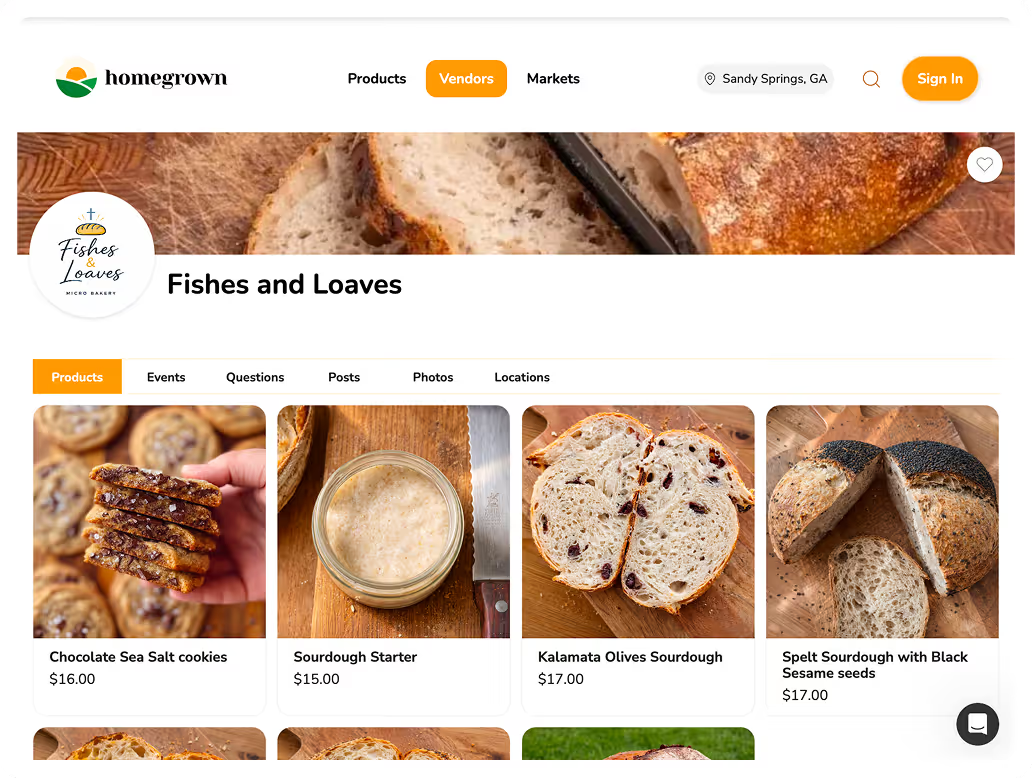



The short version: The best order management setup for most home bakers is a dedicated ordering platform like Homegrown ($10/month billed yearly) paired with a simple Google Sheets tracker (free) and an email tool like Kit (free up to 10,000 subscribers). Total cost: $10 per month. If you are just starting, Google Forms plus a spreadsheet costs nothing and handles up to 15 to 20 orders per week.
Checked September 12, 2026: The $10 is the subscription alone, billed yearly, or $12.50 month to month. Card processing adds 2.9% + 30¢ to every paid order, which is $0.88 on a $20 order. Kit's free plan still covers up to 10,000 subscribers.
Managing orders often starts with a notebook and your phone. A customer texts asking for two dozen cookies. You write it down, confirm the date, bake the batch, and hand it off at the door. That works when you have three or four customers per week.
It stops working when you have twelve. Orders overlap. Someone forgets to pay. You lose track of who wanted sprinkles and who wanted plain. You spend more time in your DMs than in your kitchen.
The right order management tools fix this without adding complexity. You do not need restaurant-grade software. You need a few affordable tools that handle the basics — taking orders, tracking what is owed, getting paid, and following up.
Managing orders through text messages and Instagram DMs works until it does not. As a rough rule of thumb, it breaks down around 10 to 15 orders per week, when manual tracking starts costing you money in forgotten orders, missed payments, and wasted ingredients.
A dedicated order system solves three problems at once:
Home bakers operating under cottage food laws often have an annual sales cap. Washington's is $35,000, which is still hundreds of individual orders a year. A system pays for itself after it prevents one forgotten order or one overbaked batch.
Sales caps vary a lot from state to state. Texas raised its cottage food limit to $150,000 in annual gross income, according to the Texas Department of State Health Services (read September 12, 2026). Look up your own state's number before you plan around it.
Look for four things in an order tool: a form customers fill in themselves, payment at checkout, order cutoff dates and an order summary that totals what to bake.
Not every tool works for a one-person home bakery. The best order management tools for home bakers share a few traits:
Here is what you do NOT need:
Swipe sideways to see every column.
| Feature | Must Have | Nice to Have | Overkill |
|---|---|---|---|
| Online order form | Yes | — | — |
| Payment at checkout | Yes | — | — |
| Order cutoff dates | Yes | — | — |
| Order summary/totals | Yes | — | — |
| Customer email list | — | Yes | — |
| Product photos | — | Yes | — |
| Multi-location | — | — | Yes |
| Employee management | — | — | Yes |
| POS integration | — | — | Yes |
Most bakery vendors on Homegrown sell a small menu, and the typical one lists 5 or 6 products. That is why a home baker needs a clear order list far more than inventory software built for hundreds of products.
In a pull of the Homegrown catalog on August 14, 2026, 122 vendors listed 876 bakery products. The median bakery vendor listed 5.5 products. 92 of those 122 vendors listed fewer than 10, and only 8 listed 20 or more. The biggest bakery menu had 27 products.
Bakery vendors on Homegrown by menu size
All 122 bakery vendors, from a pull of all 1,804 products in the Homegrown catalog on August 14, 2026.
A menu that size fits on one phone screen. The hard part is keeping track of who ordered what for which day, and whether they paid. So when you compare tools, check how each one groups orders by pickup day and whether it shows payment status next to each order. With 5 or 6 products, you can check that in a free trial in one evening.

For a home bakery, the best bakery order management software is a simple ordering page that takes payment, stops orders at a cutoff and adds up what to bake for each pickup day. Most of the bakery software in search results is built for something bigger.
Search for bakery order management software and many results are made for bakeries with staff and wholesale accounts. Their feature lists cover recipe costing, lot tracking for recalls, supplier purchase orders and shift scheduling. A home baker working alone rarely needs any of that.
Here is a quick way to sort the options:
If you bake alone or with one helper, start with the first two groups. A good test is whether you can set the tool up in one evening. The home bakery tools in this guide list their prices on their own sites, from $0 on Square's free plan to $49 a month for Square Plus. If you have to book a demo call before you can see a price, that is a sign it was built for a bigger bakery. For a wider comparison, see our guide to the best online ordering systems for cottage food.
These platforms handle the full order workflow — customers browse your products, place an order, and pay in one step.
For most home bakers doing 10 or more orders a week, Homegrown is the simplest full setup at $10 a month billed annually, with no commission on your sales.
Homegrown gives you a complete storefront where customers see your products, select what they want, and pay online. You get a dashboard showing every order, organized by pickup date. Customers order for pickup or local delivery, whichever they prefer.
If you already swipe cards with Square at markets or popup events, Square Online adds an online storefront that syncs with your existing account.
Square prices are from its pricing page, checked September 12, 2026.
Bakesy is built specifically for home bakers taking custom cake and cookie orders with flavor choices, decorations, and special requests.
As of September 12, 2026, Bakesy's pricing page shows no free plan, and its payments guide lists 3.9% + $0.30 card processing through Bakesy Secure Payments.
Google Sheets and Google Forms are the best free ways to track bakery orders, and they hold up until about 15 to 20 orders a week.
You do not need to spend money to track orders. These free tools work well for bakers managing up to 15 to 20 orders per week.
Google Sheets is the best free order tracker for a home baker who wants one list of orders sorted by pickup date.
A Google Sheets spreadsheet is the simplest order tracker. Create columns for customer name, order date, products, total, payment status, and pickup date. Sort by pickup date and you have a production schedule.
Pro tip: Color-code rows by status. White for new orders, yellow for in progress, green for completed, red for unpaid. You can see your entire week at a glance.
Pair a Google Form with a linked spreadsheet and you have a free order intake system. The form collects orders and automatically populates the spreadsheet.
For more on using Google Forms for orders, see our guide on adding online ordering to your existing business.
You can take bakery orders for $0 a month, but no option stays free once customers pay by card. Every tool that takes a card payment charges a processing fee on each order.
Free plans still cost you time. Homegrown's free order volume calculator shows how many hours a week your current orders take to manage by DM and text, and how close you are to the point where that stops working.
Homegrown itself is not free. It costs $10 a month billed annually after a 7-day free trial, plus 2.9% + 30¢ per order. It fits once the hours you spend chasing orders are worth more than that.
The best payment setup for a home baker is card payment at checkout, an invoice tool for custom order deposits, and Venmo only as a backup.
Getting paid is half of order management. These tools handle payment so you are not chasing customers for cash at pickup.
Stripe is the card processor behind many ordering tools, and it charges 2.9% + 30¢ on each card payment.
Most online ordering platforms have payment processing built in. If you use an ordering platform, card processing is handled for you in the background.
Square Invoices lets you send a payment link for custom orders that require a deposit before you start baking.
That $40 deposit costs you $1.62 in fees on the free plan, or $1.46 on Square Plus and Premium (Square pricing page, September 12, 2026).
Peer-to-peer apps work for casual sales but create bookkeeping headaches as your primary payment method.
Venmo's fees come from its fee page and the 1099-K rule from the IRS, both checked September 12, 2026.
On a $20 order, card fees run from $0.48 on a Venmo business profile to $1.18 on Wave's free plan ($1.28 if the customer pays with Amex). Most ordering tools land at $0.88. The monthly plan is only part of what you pay, because card processing comes out of every paid order and grows as your sales grow.
Scroll sideways to see every column.
| Tool | Monthly plan | Card processing | Fees on one $20 order | Monthly total at 100 orders of $20 |
|---|---|---|---|---|
| Homegrown | $10 billed annually ($12.50 monthly) | 2.9% + 30¢ | $0.88 | $98 ($100.50 on the monthly plan) |
| Square Online, free plan | $0 | 3.3% + 30¢ | $0.96 | $96 |
| Square Online, Square Plus | $49 per location | 2.9% + 30¢ | $0.88 | $137 |
| Bakesy Standard | $9.99 | 3.9% + 30¢ (Secure Payments) | $1.08 | $117.99 |
| Square Invoices, free plan | $0 | 3.3% + 30¢ | $0.96 | $96 |
| Venmo business profile | $0 | 1.9% + 10¢ | $0.48 | $48 |
| Venmo personal, marked goods and services | $0 | 2.99% | $0.60 | $60 |
| Wave Starter | $0 | 2.9% + 60¢ (3.4% + 60¢ Amex) | $1.18 | $118 |
Each company's own pricing or fee page, read on September 12, 2026. Venmo gives you no order list, so its low fee comes with the manual tracking this guide warns about.
Run the same math with your own average order. Multiply your order total by the percentage, add the flat fee, then multiply by your orders per month. Homegrown also calculates and remits sales tax on each order, which a Venmo request will not do for you. For more on this math, see our guide to calculating your platform cost per order.
Order management does not end when the cookies come out of the oven. You need a way to confirm orders, notify customers about pickup, and announce your next batch.
Kit lets you build an email list and send weekly order announcements. Customers sign up, and every week you email them your available products with a link to order.
A simple text confirming the order details works better than any automated system for a small operation.
Yes, with a text marketing tool, but most home bakers do fine with one weekly email plus a text by hand to their regulars. Homegrown does not have a built-in text marketing tool. You share your storefront link yourself, by text, email or social media.
A simple rhythm works for most bakers. Send the menu on Sunday, send one reminder the day before orders close, and stop there.
Before you text customers about a new menu, get their permission to send marketing texts. Our guide to text message rules for food vendors explains what that permission should look like, and text message marketing for food vendors goes further.
Pick one to three pickup days a week, close orders 48 to 72 hours before each one, and bake from that day's order list. The cutoff gives you time to buy ingredients and plan batches before anyone shows up at your door.
Here is how that looks for a baker with a Thursday pickup:
On Homegrown you set order cutoff dates and pickup times in your dashboard, and orders are grouped into a summary for each pickup day. A spreadsheet can do the same job if you sort by pickup date and stop taking orders yourself when the cutoff passes.
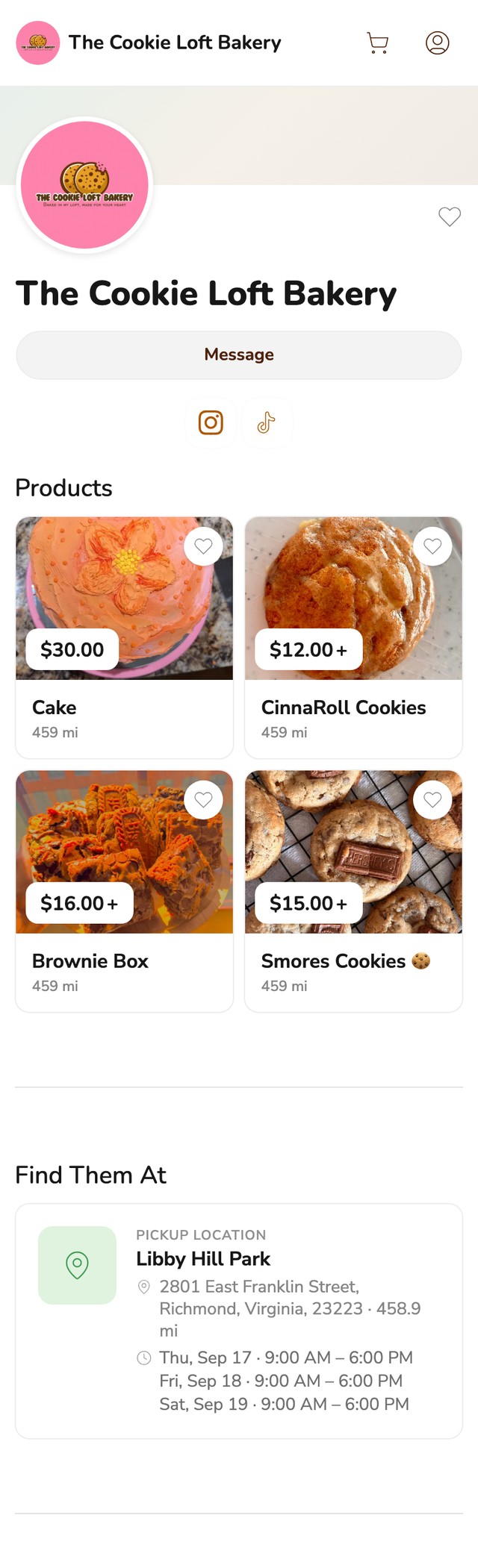
Look at what a customer sees before ordering: the price of each product and the days and hours they can pick up. Those are the two questions that usually start a long DM thread. For more help choosing a cutoff, see our guide to order cutoff times.
For local delivery, use an ordering tool that lets you set a delivery area, a delivery fee and a minimum order, so small orders do not eat your gas money. Delivery settings matter more than any other feature once you start driving orders out.
Here is a simple example. Say you set a $30 minimum and a $5 delivery fee. A customer who wants one $12 box either adds more to the order or picks up instead, and each trip carries at least $30 in orders. If you deliver only now and then, one delivery day a week keeps it simple. Our guide to minimum order value for food delivery covers how to pick your number.
Wave is the best free bookkeeping tool for most home bakers, and a two-tab spreadsheet works if you would rather skip software.
Order management and bookkeeping overlap. You need to know what you sold, what you spent, and whether you made money.
Wave is free accounting software that handles invoicing, expense tracking, and basic financial reports.
If accounting software feels like overkill, a spreadsheet with two tabs — Income and Expenses — works fine for a home bakery.
The right tool stack depends on how many orders you manage per week. Here is a simple guide:
Swipe sideways for all three columns.
| Weekly Orders | Recommended Stack | Monthly Cost |
|---|---|---|
| Under 10 | Google Forms + Sheets + Venmo | $0 |
| 10-25 | Homegrown + Google Sheets + Kit | $10 |
| 25-50 | Homegrown + Kit + Wave | $10 |
| 50+ | Homegrown + Kit + Wave + Square (in-person) | $10 |
Notice the cost barely changes as you grow. The $10/month Homegrown storefront handles 10 orders per week or 50 with the same subscription. You do not need to upgrade to expensive software as your home bakery grows.
The Monthly Cost column counts subscriptions only. Card processing comes on top of every paid order. At 100 orders of $20 a month, add $88 on Homegrown for $98 in total, or $96 on Square's free plan. The fee table earlier in this guide breaks it down tool by tool.
For a broader look at tools beyond just order management, check out our guide to the best tools for cottage food businesses.
Start your free trial at Homegrown
These five order management mistakes show up again and again for home bakers, and each one has a simple fix.
Even with the right tools, these mistakes trip up home bakers:
Fix the first two before you change any tools. A firm cutoff and payment at checkout remove most of the stress, whichever tool you use.
Google Forms paired with Google Sheets is the best free order management setup for home bakers. The form collects customer orders automatically and populates a spreadsheet you can sort by pickup date. As a rough guide, it works until you reach 15 to 20 orders per week, when the manual tracking becomes unwieldy.
You do not need dedicated software to start. A notebook or spreadsheet works fine for your first few customers. But once you pass 10 orders per week, a simple ordering platform like Homegrown ($10/month) saves you time and prevents missed orders. It is easy to wait too long to upgrade from manual tracking.
Track custom cake orders in a spreadsheet or order form with columns for customer name, event date, cake size, flavors, design details, deposit paid, balance due, and pickup time. For bakers who primarily do custom work, Bakesy offers built-in custom order forms with flavor and decoration options. The key is capturing every detail upfront so you are not texting back and forth later.
Yes. Requiring payment at the time of ordering cuts down on no-shows and last-minute cancellations. Platforms like Homegrown collect payment automatically when customers place an order. If you use Google Forms, send a Square invoice or Venmo request immediately after the order comes in.
As a rough rule of thumb, a notebook and text messages work for about 8 to 12 orders a week. Beyond that, orders start overlapping, payments get confused, and production planning breaks down. A free tool like Google Sheets extends that limit to about 20 orders per week. Past 20, a dedicated ordering platform pays for itself in time saved and errors avoided.
A home bakery doing $25,000 per year with average orders of $25 to $50 processes roughly 500 to 1,000 orders annually. At that volume, you need an ordering platform ($10/month), a free email tool like Kit, and basic bookkeeping through Wave (free). Total cost for the tools: about $120 per year. Card processing at 2.9% + 30¢ adds $875 to $1,025 a year on $25,000 in sales across 500 to 1,000 orders, so the full cost is about 4% to 4.6% of revenue. The Texas A&M cottage food course is also a helpful resource for bakers at this stage. It costs $15 on AgriLife Learn, Texas A&M's course site, and takes about 45 minutes online.
You can, but you should not. Instagram DMs are designed for conversations, not order tracking. Messages get buried, payment confirmations mix with casual chats, and you have no way to generate an order summary for your baking schedule. Once you grow past a few orders per week, it is worth taking the time to move your business off Instagram DMs and into a dedicated system.
Start with the cheapest setup that fits your order volume today, and upgrade once manual tracking starts costing you orders.
You do not need every tool on this list. Start with whatever matches your current order volume — even if that is a notebook and Venmo. When manual tracking starts costing you time, money, or customers, that is when you upgrade.
The most important step is picking one place for all your orders. Not DMs and texts and a form and a notebook. One system. Everything else builds on that.
If that one place is a Homegrown storefront, customers see your menu and pickup days, pay when they order, and land on the order summary you bake from. Start with next week's menu and a single pickup day, and see how many orders come in before the cutoff.
If you would rather stay free for now, set up the Google Form and spreadsheet from this guide tonight, which works for about 15 to 20 orders a week, and pick a cutoff time you will stick to.