

The short version: Instagram retired Guides on December 15, 2023, so the closest thing to a product catalog on your profile today is three pinned posts, a row of Story Highlights sorted by category, and one ordering link in your bio. Instagram's own Shop, now that Meta is moving checkout out of the app, needs product links on a website domain you own plus Meta's approval, and its "Add product details" option sends order requests into your chat, so neither one gets a home baker out of DMs. The setup that works is a pinned menu carousel of up to 20 photos, a Highlight for each product category, and a storefront link where customers see every price, pick a pickup time and pay. Homegrown is $10 a month billed annually ($12.50 monthly) with 0% commission and 2.9% + $0.30 card processing paid by the vendor, and every product on it gets its own page you can link from a Story.
Checked on October 14, 2026: Instagram's Help Center pages on pinned posts, carousels, Highlights, product details and Shops, Meta's page on bio links, the pricing pages of Homegrown, Hotplate, Square, Shopify, Linktree and Venmo, and a pull of Homegrown's own catalog. Homegrown customers create an account to place their first order, Homegrown has no drops feature, and a Homegrown storefront cannot be used for Instagram product tags because custom domains are on its roadmap, not live.
You probably found this page because an older tutorial told you to build an Instagram Guide for your menu, and the button was not there. It is not your phone. The feature is gone, and nothing with the same name replaced it.
The good news is that the job a Guide used to do, letting a customer scroll your products without sending you a message, is easier to do now with a few tools Instagram still has and one ordering page it does not. This guide is for the part-time baker, jam maker or farm stand that sells 10 to 40 products, changes the menu most weeks, and is tired of answering "how much is the sourdough?" twenty times before Saturday.
Instagram retired Guides on December 15, 2023, and every existing Guide was converted into a Collection. Social Media Today reported the plan on November 15, 2023, about 30 days before that end date, and a January 4, 2024 post by Lindsey Gamble confirmed Instagram shut Guides down in December and converted the Guides users had made into Collections. When we searched Instagram's Help Center for "guides" on October 14, 2026, it returned no article about the feature at all.
A Guide was a scrollable page on your profile that grouped posts, places or products under one title, with a short note under each one. Food vendors liked it because it worked like a little menu booklet: "Fall Breads," then each loaf with a photo and a line about it. Collections are different. They are folders of saved posts, not a page your customers browse from your profile.
Here is what that means for you:
Any blog post, course or video that tells you to "create a Guide" for your products is out of date, because the feature was retired on December 15, 2023. We checked Instagram's Help Center on October 14, 2026, and the feature has no help page and no create button. Use the pinned row, Highlights and a storefront link in this guide instead.
A food catalog on Instagram has one job: let a customer see what you sell, what it costs and how to get it, without typing a single message to you. If any of those three answers lives only in your head or your DMs, customers will message you, and every message is time you are not baking.
A working catalog answers six questions at a glance:
If you are still taking orders in your inbox, start with our guide to selling food on Instagram without taking orders in DMs, which covers the full switch. This page is about the catalog piece: where your products live on your profile so people can browse them.
In a pull of the Homegrown catalog on October 14, 2026, 2,544 of the 2,919 products listed by 323 vendors had at least one product image, 1,536 had a description of 20 words or more, and 795 offered two or more options, like sizes, flavors or scents, to choose from. Every listing was counted by its fields, not by its name. So most listings have a photo, about half have a description of 20 words or more, and about a quarter offer options to choose from. Aim for all three on every product, since each one answers a question a customer would otherwise message you about.
What Homegrown product listings include
Source: Homegrown public catalog pull, October 14, 2026, 2,919 products from 323 vendors.
Four Instagram features still let customers browse your products from your profile: pinned posts, carousels, Story Highlights and the links in your bio. Two more, product details and Shops, look like catalogs but come with catches that matter for a home kitchen. None of them takes payment on its own for a vendor without a website.
Scroll sideways to see every column.
| Instagram feature | Where customers see it | How much it holds | Browse without messaging you? | Can they pay there? | What it needs |
|---|---|---|---|---|---|
| Pinned posts | Top row of your grid | Up to 3 posts | Yes | No | Any account |
| Carousel post | Feed and your grid | Up to 20 photos and videos | Yes | No | Any account |
| Story Highlights | Circles under your bio | Stories you saved, grouped by name | Yes | No, but a link sticker can send them to a page that does | Stories posted first |
| Bio links | Under your name | Up to 5 links (20 with a Meta One plan) | Yes, on the page they open | Only if the link goes to a store | Any account |
| Add product details | On one post or Story | One product per post or sticker | Partly: they see a name and price, then request to order in chat | Not in the post; you settle it in chat | Business account |
| Instagram Shop and product tags | Shop on your profile, tags on posts | Your whole catalog | Yes | On your own website | Product links on a domain you own, reviewed by Meta (checkout inside Instagram is being phased out) |
We checked each row against Instagram's Help Center and Meta's bio link page on October 14, 2026. "Domain you own" means a web address like yourbakery.com, not a page on someone else's site.
For most part-time vendors the first four rows are the whole answer. The pinned menu carousel holds up to 20 slides, so about 17 products once you add a cover, a sold-out note and an ordering slide. If you sell more than that, put the extra categories in Highlights, covered below. The pinned row and the Highlights are the shop window, and the bio link is the counter where people actually pay.
Pin three posts to the top of your grid: your current menu, how to order, and pickup details. Instagram lets you pin up to three posts, and they stay above everything else you post until you unpin them, so a new visitor sees your catalog before your latest cat photo.
Instagram's own steps are short: open the post from your profile, tap the options menu in the top right, and tap Pin to main grid. Here is the row that works for a weekly food menu:
A vendor who sells 12 products can fit all 12 on the pinned menu carousel. Only the menu pin changes week to week, so the other two pins do their job for months with no extra work. If you sell at a Saturday market, Pin 3 can be your booth location and hours instead, since location and hours are what new customers often ask about after the price.
Make the cover slide of your menu carousel say the week on it, like "Menu for Oct 18," in big type. Customers who land on a pinned menu with no date assume it is old and message you to ask, which is the exact thing the pin was supposed to stop.
Build the menu as one carousel of up to 20 slides, with a cover, one slide per product, and a final "how to order" slide. Instagram allows up to 20 photos and videos in a single carousel post, which fits about 17 products in one swipe once the cover, sold-out and ordering slides take their 3 spots.
One rule shapes everything: per Instagram's Help Center, you cannot add new photos to a carousel after you share it. You can reorder or delete slides, but a new flavor means a new post. That is why the menu is a weekly post you pin, not a permanent one.
A slide plan for a bakery menu of 12 products:
Keep the caption short and put the ordering line in the first sentence, before Instagram cuts it off with "more." Our guide to writing an Instagram menu post that gets orders has caption templates and the best days to post. For the photos themselves, taking food photos that get orders on Instagram covers light, angles and backgrounds you can do on a phone.
Make one Story Highlight for each product category, plus one called "Order," so the circles under your bio work like the tabs of a catalog. Instagram's Help Center says stories you add to a Highlight stay visible on your profile until you remove them, even after the 24-hour story is gone.
Name the circles the way a customer thinks, not the way you bake. Good Highlight names for a home food business:
To build one, post the story first, then go to your profile, tap New under your bio, name the Highlight and pick the stories. Use a plain cover for each circle, like a solid color with one word, so the row reads at a glance.
Highlights beat a pinned post in one way: each story can carry a link sticker, so the "Sourdough" story can link straight to that loaf's page. For the full weekly Story routine, see our guide to using Instagram Stories to take food orders, which walks through a three-slide formula.
Instagram's "Add product details" option puts a product name and price on a post or Story without a shop, but every order still arrives as a request in your Instagram chat. It needs a business account, and it is the closest built-in thing to a catalog that does not ask for a website.
Here is how Instagram describes product details without a catalog or shop: when people see your products, "they can connect with you in Instagram chat to learn more and request to order." You then accept or decline each request in the chat, update its status there, and track order history in the same thread.
That is useful in a few cases:
It is not a way out of your inbox. If 40 customers order for Saturday, that is 40 separate chat threads, and payment is still something you arrange in each one. If the reason you wanted a Guide was fewer messages, product details moves you sideways, not forward.
Instagram Shopping is built for businesses with their own website: now that Meta is moving shops off checkout inside Instagram, your product links must go to a single domain you own, and Meta has to review and approve that domain before you can tag products. Instagram's Help Center allows either checkout on Instagram or a single domain you own, and with checkout inside the app being phased out, the domain is where most home bakers stop.
The Help Center gives the example of a shop at jaspersmarket.com whose product links must all be on that domain. A page on Etsy, Facebook or any storefront service at someone else's address does not count. Meta also began moving shops from checkout inside the app to checkout on the seller's own website in June 2025, and Meta said most shops would be switched by the end of August 2025. In practice, customers browse on Instagram and pay on your site.
To run an Instagram Shop you need all of these:
If you already run a Shopify site on your own domain, the Shop is worth setting up, since Shopify syncs the catalog for you. If you sell 15 products from your kitchen and do not have a website, the pinned row, the Highlights and a storefront link get you the same browsing with none of the review steps.
Your bio link should go to a page where customers can order and pay, and if it is your only link, one tap takes them straight there. Meta's Help Center says you can add up to 5 links to your Instagram bio without a subscription, and up to 20 with a Meta One plan. Once you have two or more, Meta says a tap on your bio opens your link page inside Instagram, so the order page sits one tap further in. If you want zero extra taps, keep one link.
If you add more links, Meta's page also lets you choose a primary link, the one people see first, once you have at least two. Make that the order page, and put the rest in this order:
You do not need a paid link page tool just to show a menu. Linktree has a free plan, and its Starter plan is $6 a month billed annually ($8 monthly), checked on its pricing page on October 14, 2026. Any link page, whether it is Linktree's or the one Instagram opens when you have two or more bio links, is still one more tap between a hungry customer and the order button. For the words above the link, our guide to what to write in your Instagram bio when you sell food has templates you can copy.
On a $20 order, the seller pays from about $0.48 in Venmo's business transaction fee with a Venmo business profile to $2.43 with Hotplate when the seller covers its service fee on top of card processing, and the monthly plan decides the rest. The catalog on your profile costs nothing. The ordering page your bio link points to is where the fees live.
Scroll sideways to see every column.
| Ordering option | Monthly plan | Trial | Service or platform fee | Card processing | Customer pays on a $20 order | Seller pays on a $20 order | Seller pays in a month of 50 orders at $20 |
|---|---|---|---|---|---|---|---|
| Instagram DMs plus a Venmo business profile | $0 | None needed | None | 1.9% + $0.10 (Venmo's transaction fee), paid by the seller | $20.00 from a Venmo balance, bank or debit card | $0.48 | $24.00, plus every DM you answer |
| Hotplate, default | $0 | None needed | 5% + $0.55, paid by the customer | 2.9% + $0.30, paid by the seller | $21.55 | About $0.88 to $0.92 | About $44.00 to $46.25 |
| Hotplate, seller covers the service fee | $0 | None needed | 5% + $0.55, paid by the seller | 2.9% + $0.30, also the seller's | $20.00 | $2.43 | $121.50 |
| Square Online, Square Free plan | $0 ($49 for Square Plus) | 30 days on Plus | None | 3.3% + 30¢ online on Free (2.9% + 30¢ on Plus) | $20.00 | $0.96 | $48.00 |
| Shopify Basic | $29 billed yearly ($39 monthly) | 3 days, then $1 a month for 3 months | None with Shopify Payments (2% with another provider) | 2.9% + 30¢ online | $20.00 | $0.88 plus the plan | $73.00 |
| Homegrown | $10 billed annually ($12.50 monthly) | 7 days, no charge until day 8 | None, 0% commission | 2.9% + $0.30, paid by the seller | $20.00 | $0.88 plus the plan | $54.00 |
We checked every price on the company's own pricing page on October 14, 2026: Venmo's fees page, Hotplate's pricing page, Square's online store plans, Shopify's pricing page and Homegrown's signup page. Hotplate passes its fee to the customer by default, per its own post "What Hotplate does," and you can choose to pay it yourself. The Hotplate seller cost is a range because the card fee can be figured on the $20 subtotal ($0.88) or on everything the customer pays ($0.92). Monthly columns use yearly billing where a plan offers it.
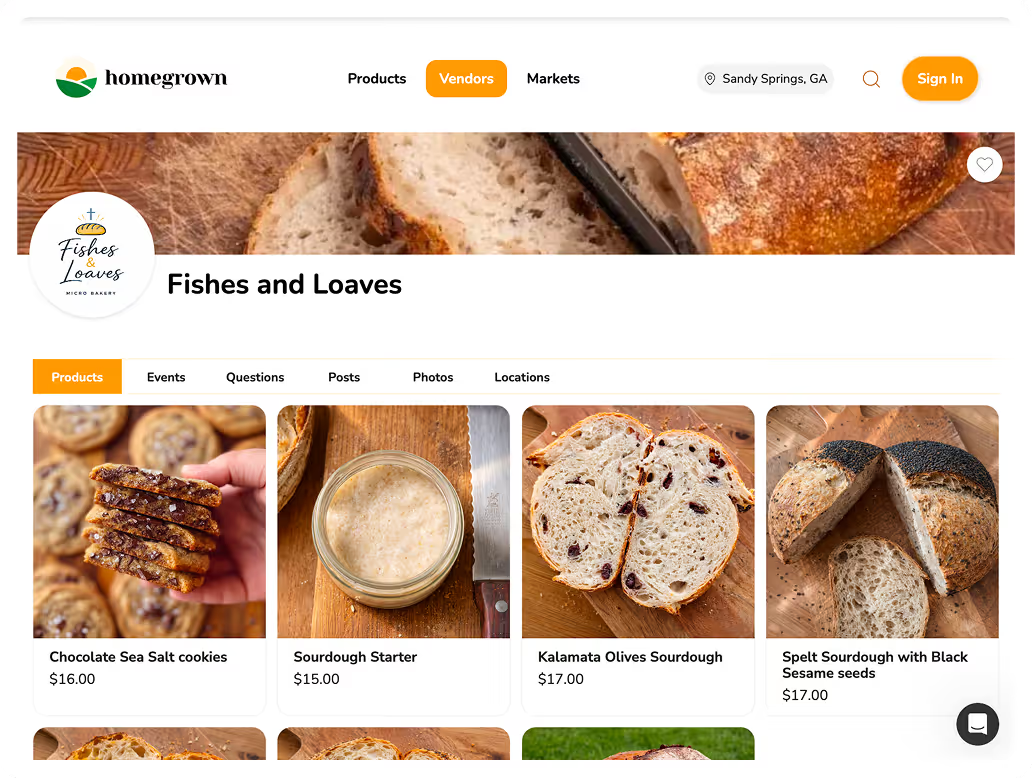
The cheapest row is also the one that keeps you in your DMs, which is the problem you came here to fix. Venmo moves the money, but someone still has to type the order, the total and the pickup time into a chat 50 times a month. If your catalog is already pinned and highlighted, the missing piece is a page that takes the order for you. A Homegrown storefront gives your Instagram catalog that page: one link in your bio where customers browse every product, pick a pickup window and pay before you bake.
A storefront link turns your Instagram profile into the shop window and puts the full catalog, with prices, options and checkout, one tap away. That split is what a Guide could not do for a vendor without an Instagram Shop: it could show products, but it could not take the order.
Homegrown is $10 a month billed annually, or $12.50 month to month, with no percentage fees beyond standard payment processing of 2.9% + $0.30, which the vendor pays. Here is what it adds to the catalog you built on Instagram:
Compared with the other options a vendor in this spot considers: Hotplate costs nothing monthly but adds 5% + $0.55 to the customer's total by default, plus 2.9% + $0.30 card processing the seller pays, and it is built around drops, timed menu releases, which Homegrown does not have. Square's Free plan is $0 a month with 3.3% + 30¢ on online cards, and it is a full website builder, which is more to set up than a menu needs. Shopify is $29 a month billed yearly plus 2.9% + 30¢, and it is the right pick if you want your own domain and an Instagram Shop. The domain is not in that price: you buy it from Shopify or another domain provider.
Honest bounds, so you know before you start. Homegrown does not post to Instagram for you or make your carousel. A Homegrown storefront cannot be used for Instagram product tags, because product tags need your own domain and Homegrown's custom domain support is on its roadmap, not live. Customers create a Homegrown account to place their first order. Your store is also listed on Homegrown's marketplace, but plan on most orders coming from people you send to your own link.
Update the menu carousel and the matching Highlight once a week, on the same day, and leave the how-to-order and pickup pins alone for months. A weekly rhythm keeps customers from ordering last week's flavor and keeps you from rebuilding everything every time.
A weekly routine you can do in one sitting:
Keep a running note on your phone with each product's name, price, sizes and allergens. When you post the weekly carousel and update the storefront, you paste from one list, so the two never disagree. A $9 price on Instagram and $10 on the order page is the fastest way to get a "which is it?" message.
Seasonal products get their own rhythm. Add a Seasonal Highlight when the product starts, and remove it the week it ends, so nobody tries to order pumpkin bread in February.
Customers message you anyway when your catalog is missing one piece: a price, a date, a link, or a link that goes to the wrong place. Fix the gap and the "how do I order?" messages slow down.
Common mistakes on food vendor profiles:
Some people will still message you. That is fine. Keep one reply saved in your notes and paste it every time: "Hi! Everything for this week is here with prices and pickup times: [your link]. You order and pay right there." After a few weeks of the same friendly answer, regulars stop asking.
If your carousel, Highlights and bio are ready and the only thing missing is a page that takes the order, you can set up a Homegrown storefront in about 15 minutes and put that link behind your Instagram catalog.
No. Instagram retired Guides on December 15, 2023, and turned existing Guides into Collections, which are saved folders rather than pages customers browse on your profile. To build an Instagram food catalog today, use up to three pinned posts, a Story Highlight for each product category, and an ordering link in your bio.
Nothing with the same name. The closest replacements are a pinned carousel post that holds up to 20 photos, Story Highlights that stay on your profile until you remove them, and Instagram Shop for businesses with their own website. For a home food vendor, a pinned menu plus Highlights plus a storefront link does the same job as a Guide and also takes the order.
Only with a website on a domain you own. Now that Meta is moving shops off checkout inside Instagram, tagged products have to link to a single domain you own, and Meta reviews that domain before you can tag products. A home baker who sells through a page on someone else's site cannot tag those products, so the pinned row and Highlights are the practical catalog.
You can pin up to three posts to the top of your Instagram grid. For a food catalog, pin this week's menu carousel, a post explaining how to order, and a post with pickup days and allergen information. Swap the menu pin every week and leave the other two in place.
No. It shows a product name and price on a post or Story, but customers request to order in your Instagram chat, and you accept or decline each request there. It works for a one-off item or a very small menu, not for a weekly menu with dozens of orders.
Every product photo, its price for each size, the flavors, the ingredients and allergens, the pickup day and place, and one link to order and pay. If any of those is missing, customers message you to ask. A dated menu cover slide also helps, because customers trust a menu that says which week it is for.
Your Instagram catalog is one part of a bigger ordering setup: the posts that fill it, the Stories that keep it fresh, the bio that points to it and the page that takes the order. These guides go deeper on each of those pieces, so you can fix whichever one is costing you the most messages right now. Start with the first if you still take every order by DM; skip to the menu post or Story guides if your link already works and you just want more people to use it.