

The short version: An Instagram broadcast channel (Instagram now just calls it a channel) lets you send one message to every follower who joins, and it lands in their inbox instead of fighting the feed. Instagram's Help Center says you need a public profile and more than 1,000 followers to start one, and the feature is still rolling out, so check your Compose menu before you plan around it. Use it to announce each drop, meaning a batch you open for orders at a set time: the menu, the price, how many you are making, the order deadline and one ordering link. The channel cannot take an order or a payment, so that link is what keeps the announcement from turning back into 40 DMs. Under 1,000 followers, a Close Friends story, a text list or an email list does the same job.
Checked on Instagram's Help Center and Homegrown's signup page, October 14, 2026: the 1,000-follower line, the rollout note, member replies and polls come from Instagram's own help articles. A Homegrown storefront is $10 a month billed annually with 2.9% + $0.30 card processing paid by the vendor. Customers create a Homegrown account to place their first order, and Homegrown has no drops or countdown-release feature, so you announce the batch in the channel and list the products on your storefront.
You post Thursday's menu to 1,400 followers, and only a slice of them ever see it. A few message to ask what is on it. Two more ask after the batch is gone. That gap between who follows you and who hears about your bake is the problem an Instagram broadcast channel solves.
This guide is for the small food vendor who sells in batches: the home baker with a Saturday pickup, the market vendor who takes pre-orders for a holiday pie, the tamale maker who opens orders twice a month. You will see who can start a channel right now, how to set one up, what to write in each announcement, and where to send people when they are ready to order.
An Instagram broadcast channel is a one-way group message: you post, and everyone who joined gets it in their inbox. Members can react, vote in your polls and, if you allow it, reply under a message, but they cannot start new messages in the channel. Instagram's help pages now call the feature "channels," though most vendors and most guides still say broadcast channel.
Instagram first tested channels with a small group of US creators in February 2023, then rolled them out globally in June 2023, according to TechCrunch's report from that week. Polls were there from the first test. Instagram's Help Center now also covers prompts, moderators, live video and member replies.
Here is what you can send into a channel:
The key difference from a feed post is delivery. A feed post waits for Instagram to decide who sees it. A channel message shows up in the Instagram inbox of every member, next to their messages from friends.
Yes, if your account is public and has more than 1,000 followers, and if Instagram has turned the feature on for you. Checking takes about 2 minutes. That is the rule on Instagram's own "Create a channel" help page, which we checked on October 14, 2026. The same page says channels "are slowly being released on Instagram and aren't available to everyone at this time."
Instagram's channel insights page words it a little differently: "a public (personal or professional) Instagram account with at least 1,000 followers." Either way, the line is about 1,000 followers and a public profile. You do not need a creator account, a business account or a paid subscription to qualify, based on that wording.
Many guides that rank for this topic still say you need 10,000 followers and a creator account. Instagram's Help Center said 1,000 followers and a public account when we checked on October 14, 2026. Rules like this change, so open Messages, tap Compose and look for "Create channel." If it is not there, your account is not eligible yet, whatever a guide says.
To check your own account:
If the option is missing and you are over 1,000, check again later. Instagram says channels are still being released and gives no date.
A channel beats a feed post for a drop because the message reaches every member's inbox, and the first message notifies all of your followers at once. For a vendor who sells out in a 48-hour window, that reach matters more than likes.
Here is what changes when you announce in a channel instead of only on your grid:
A channel does not replace Stories. Stories still reach people who have not joined anything, and they disappear in 24 hours, which makes them good for a last call. Our guide to Instagram Stories that bring in food orders covers the three-slide story that pairs well with a channel announcement.
The bigger idea is the drop itself. If you have not set up a weekly rhythm yet, start with how to run a weekly food drop, which walks through order windows, pickup and no-shows. A channel is the loudspeaker for that rhythm; it is not the rhythm.
Setting up a channel takes about 5 minutes in the Instagram app on your phone: Messages, Compose, Create channel, a few choices, then Create. The steps below are the ones Instagram gives for its Android and iPhone app.
Once it exists, you will find it in the Instagram app under Messages, then the Channels tab at the top. Bookmark that spot. You will be in it twice a week.
If a partner or a family member helps run the business, you can invite up to 4 people as moderators. Instagram's help page on moderators says they can send and remove messages, hide reactions and reset the invite link, so someone else can post the last call while you are elbow-deep in dough.
Plan your first channel message before you create the channel, and make it a real announcement with a date in it, like "First drop: 24 cinnamon rolls, orders open Tuesday at 7 pm." The first message is the one that notifies every follower, and Instagram described that invitation as a one-time notification when it launched channels. A welcome message with nothing to buy wastes it.
Name the channel after what members get, not just who you are, so a follower knows in two seconds why to join. "Maple Lane Farm" tells people nothing new. "Maple Lane: Egg and Bread Drops" tells them exactly what lands in their inbox.
Names that work for food vendors:
Keep the name short and plain, and skip inside jokes a new customer would not get. If you sell at more than one market, one channel is still better than two; mention the market in each announcement instead.
Who should join? Everyone who has ever ordered, everyone who asks "when is the next batch?" and anyone who says "let me know next time." Those are your best customers. If 20 customers ordered from you last month, those 20 people are your first members, and each one is worth a personal "I started a channel for drop alerts" message with the invite link. The channel turns "let me know" into a system you do not have to remember.
The first-message notification is your biggest single push, and the invite link, a story share and a QR code at your booth fill in the rest. Instagram lists those as the ways to invite people, and each one fits a different moment in a vendor's week.
Ways to fill your channel:
The QR code is the most overlooked of these. If 200 people walk past your booth on a Saturday, even 10 scans a week adds up fast. A shopper who just tasted your sample is the warmest person you will ever meet. If you already collect contact info at the booth, our guide to QR codes that build a customer list at the farmers market shows how to set up the table sign.
A good drop announcement answers five questions in one message: what you made, what it costs, how many there are, when orders close and where to order. Leave any one out and the questions come back to your DMs.
The five things every announcement needs:
Here is an announcement that does all five:
> Orders are open for Saturday pickup! This week: sourdough country loaf $12, cinnamon raisin $13, and a half dozen everything bagels $15. I'm baking 30 loaves and 15 bagel packs. Orders close Wednesday at 8 pm or when they sell out. Pickup is Saturday 9 to 11 at the porch. Order here: [your link]
That message is 54 words. Members can read it in about 15 seconds. The only reply you should expect is a heart.
In a pull of the Homegrown catalog on October 14, 2026, 30 of 2,923 listings, from 9 vendors, describe a pre-order in their own words. South Street Pie Co. puts its deadline right in the listing: 18 of its 20 listings, 17 pies and a cobbler, say "Thanksgiving pre-orders close November 8th!" That one line is exactly what belongs in a channel announcement. (Counted by reading every listing whose name, description or flavor options say "pre-order" or "preorder," and leaving out 2 that say the product is not available for pre-order.)
Four or five channel messages a week is enough for a weekly drop: a flavor poll, the announcement, a last call, a closed or sold-out note and a thank-you after pickup. More than that and members mute you. Fewer and the channel goes quiet between bakes.
Swipe the table sideways to see each column.
| Day (for a Saturday pickup) | Channel message | What it does |
|---|---|---|
| Monday | A poll: "Which flavor this week?" | Tells you what to bake and wakes the channel up |
| Tuesday evening | The full drop announcement with the link | Opens orders with all five answers in one message |
| Wednesday afternoon | "12 loaves left, orders close at 8 pm" | Creates a real deadline with a real number |
| Wednesday 8 pm | "Sold out, thank you" or "Orders closed" | Stops late DMs before they start |
| Saturday after pickup | A photo of the empty cooler or a thank-you voice note | Rewards members and sets up next week |
A sample week for a vendor with one pickup day. Shift the days to match your own bake. The channel features in each row come from Instagram's Help Center and Sprout Social's channel guide (voice notes), checked on October 14, 2026.
The whole schedule takes about 30 minutes a week to write. Keep the same days every week. People learn the rhythm, and the Tuesday announcement starts to feel like a habit instead of a surprise.
Polls, prompts and replies turn your channel into free market research: you find out what to bake before you buy the flour. Each one is built into the channel, and none of them need a separate app.
How vendors use each tool:
One caution: Instagram says members' reactions, replies and poll votes in a channel can be seen by anyone on the app. Do not ask members to share anything private, like an address or a phone number, in a reply.
Run the flavor poll on Monday and bake to the result, but cap the winner. If 60% of votes go to pumpkin on a 30-pie week, make 15 pumpkin, not 18, and 15 of everything else. Polls lean toward the people who vote, and the quiet buyers still want their usual.
The link in your channel should go to a page where people can see the menu, pick a pickup time and pay, because the channel itself cannot take an order or a payment. If the link is missing, every member who wants to buy has to message you, and you are back to typing totals into 40 chats.
Your three common options are DMs with a payment app, a pre-order tool like Hotplate, or a storefront like Homegrown. The table below prices one $20 order on each, with the plan, the service fee and card processing included.
Scroll sideways to see every column.
| Where the channel link sends people | Monthly plan | Trial | Platform or service fee | Card processing | Customer pays on a $20 order | Vendor pays on a $20 order | Vendor pays on 50 orders a month |
|---|---|---|---|---|---|---|---|
| Your DMs, paid with a Venmo business profile | $0 | No plan to try | None | 1.9% + $0.10 Venmo transaction fee, paid by the vendor | $20.00 (a card payment to a business profile skips Venmo's 3% sender fee) | $0.48 | $24.00, plus every order typed by hand |
| Hotplate, default setting | $0 | No plan to try | 5% + $0.55, passed to the customer | 2.9% + $0.30, paid by the vendor | $21.55 | About $0.88 to $0.92 | About $44.00 to $46.25 |
| Hotplate, vendor covers the fee | $0 | No plan to try | 5% + $0.55, paid by the vendor | 2.9% + $0.30, paid by the vendor | $20.00 | $2.43 | $121.50 |
| Homegrown storefront | $10 billed annually ($12.50 billed monthly) | 7 days, no charge until day 8 | None, 0% commission | 2.9% + $0.30 per order, the vendor's cost | $20.00 | $0.88 plus the plan | $54.00 ($44.00 card fees + $10 plan) |
We checked each fee on the company's own page on October 14, 2026: Venmo's fees page, Hotplate's pricing page and its post "What Hotplate does," and Homegrown's signup page. Hotplate passes its fee to the customer by default and lets you pay it yourself instead. Its vendor cost is a range because Hotplate's own pricing example puts the card fee on more than the subtotal: a $30 order with a $3 tip carries a $1.27 card fee, which fits the subtotal plus the tip. So a $20 order costs the vendor $0.88 with no tip and about $0.92 with a $1.55 tip ($0.925, which is why 50 orders come to $46.25 and not $46.00). The 50-order column uses annual billing for Homegrown; month to month it is $56.50.
What the vendor pays in a month of 50 orders at $20
Source: our math from Venmo's fees page, Hotplate's pricing page and Homegrown's signup page, checked October 14, 2026. 50 orders at $20 each.
The cheapest row is the one with the most work in it. A channel can send 300 people to your DMs in an hour, and Venmo does not write down who ordered two loaves for Saturday. If your channel is doing its job, the link has to do the rest. A Homegrown storefront gives your channel announcement one link where members see the menu, choose a pickup day and pay before you bake.
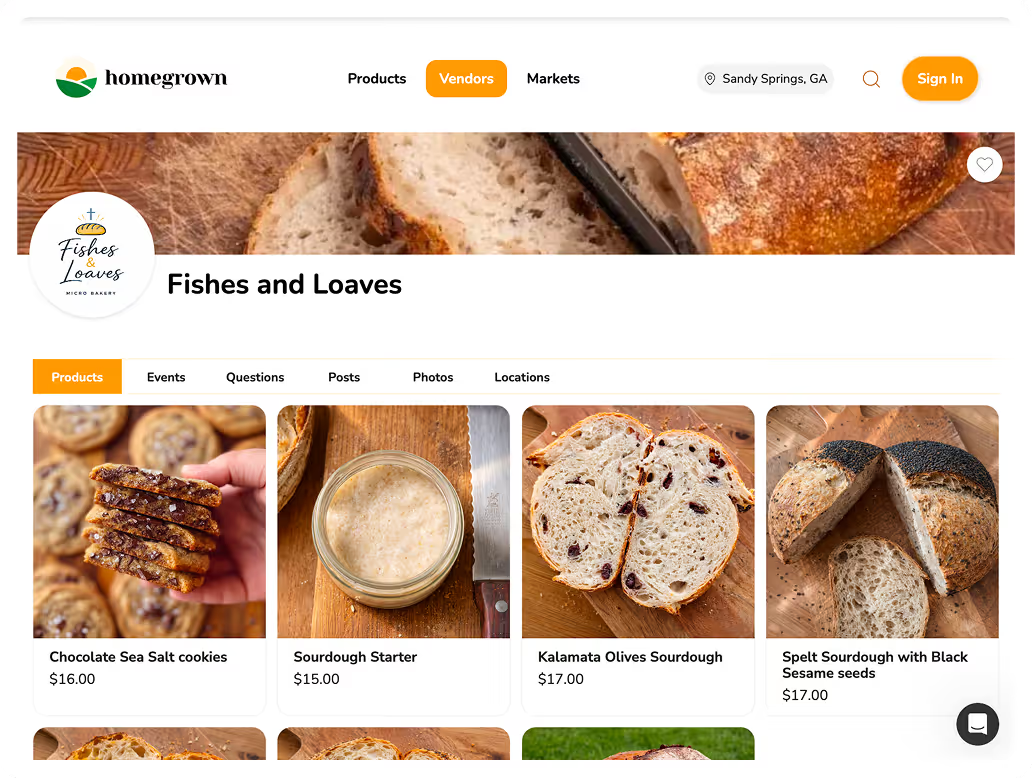
A channel gets the word out; a Homegrown storefront is where the order, the payment and the pickup time get recorded without you typing a thing. Put the two together and your Tuesday announcement turns into a list of paid orders by Wednesday night.
Homegrown is $10 a month billed annually, or $12.50 month to month, with no percentage fees beyond standard payment processing of 2.9% + $0.30 per order, which the vendor pays. You can try it for 7 days, with no charge until day 8. Here is what it does for a vendor who announces drops in a channel:
Compare that to the two tools vendors often pair with a channel. Taking orders in DMs and collecting with Venmo costs less per order, but you track every order by hand. Hotplate is built around drops and charges no monthly plan, but by default your customer pays its 5% + $0.55 fee at checkout, and if you cover it yourself you pay $2.43 on a $20 order.
Here is what Homegrown does not do. It has no drops or countdown-release feature, so you list this week's products and post the announcement yourself. It does not post to your channel for you. Customers create a Homegrown account to place their first order. Your storefront is listed on the Homegrown marketplace, but plan on most orders coming from the people you send to your own link, which is exactly what a channel is for.
Under 1,000 followers, you can still send one message to all your regulars: use a Close Friends story, a group chat, a text list or an email list. Each has a trade-off, but all of them do the main job, which is reaching people who already said yes.
On a phone, slide the table left to see all four columns.
| Way to announce a drop | Who it reaches | Can people reply? | Best for |
|---|---|---|---|
| Instagram channel | Everyone who joins, in their inbox | Reactions and polls, plus replies if you turn them on | Public accounts with more than 1,000 followers |
| Close Friends story | Only the people on your Close Friends list | Yes, as private DMs to you | A short list of regulars, any account size |
| Instagram group chat | Everyone you add, 2 or more people | Yes, and they can see each other's messages | A neighborhood or office group that orders together |
| Text message list | Everyone who gave you their number and agreed to texts | Yes, one to one | Customers who never open Instagram |
| Email list | Everyone who signed up | Yes, one to one | Longer menus, holiday pre-orders, photos |
Instagram features checked on Instagram's Help Center on October 14 and 15, 2026. A group chat shows every member's name and messages to the whole group, so ask before you add anyone.
The Close Friends story is the closest thing to a channel for a small account. Add every past customer to the list, post the drop as a three-slide story with your ordering link, and only they see it. The catch is that stories vanish in 24 hours, so post the last call too.
Text and email reach people who rarely open Instagram, and some of your steadiest buyers may be in that group. Our guides to text message marketing for food vendors and to an email newsletter for food vendors cover how to collect contacts and what to send. When you cross 1,000 followers, keep the list and add the channel. They reach different people.
Post a "sold out" or "orders closed" message in the channel the moment it happens, because it is the one message that stops late DMs before they start. A member who sees "sold out, next drop Tuesday" will wait. A member who sees nothing will message you.
What to post and when:
If you still get "is there any left?" messages, answer with the date of the next drop, not an apology. Our guide on handling sold-out food on Instagram has scripts for waitlists and the customers who missed out.
Check two numbers each week: how big the channel is, and how many orders came in during the 24 hours after your announcement. If both go up, the channel is working.
Instagram gives you channel insights if you meet the channel requirements. Open Messages, tap Channels, pick your channel, tap the channel name and select Channel performance. The data starts from October 10, 2024, and you can pick a custom date range within the past 90 days, per Instagram's insights help page.
What to track in a notebook or spreadsheet:
That last number should fall over a month. If it does not, your announcement is missing one of the five things: menu, price, quantity, deadline or link.
People leave a channel when it gets noisy, vague or salesy, so the fix is fewer messages that each answer a real question. A member who joined for "first dibs on Saturday's bread" does not want six photos of your kitchen a day.
Mistakes to avoid:
If you are moving your whole business off DMs at the same time, our guide on how to sell food on Instagram without taking orders in DMs covers the bio link, the menu post and the reply scripts.
A channel only changes your week if the link inside it takes the order for you. Set up your Homegrown storefront, paste that link in your next channel announcement, and let Wednesday night's order list fill itself.
Instagram's Help Center sets the bar at a public profile followed by more than 1,000 people, and the feature is still rolling out to accounts. We checked that on October 14, 2026. Guides that say 10,000 followers do not match Instagram's Help Center. If "Create channel" does not appear under Compose in your messages, your account does not have it yet.
No. An Instagram broadcast channel can announce a food vendor's drop, but it cannot collect an order, a pickup time or a payment. Put one ordering link in each announcement so members can buy without messaging you. A Homegrown storefront, a Hotplate page or a form plus a payment app can all sit behind that link.
Yes, if you allow it. Channel admins can turn on "Allow members to reply to messages" in Channel controls, and replies show separately from your announcements. Members can react and vote in polls, but only the admin, moderators and collaborators can send new messages.
No. Instagram says channels are discoverable by anyone on Instagram and stay searchable and joinable even if you switch your profile to private. Members' reactions, replies and poll votes are visible to anyone on Instagram too, so keep addresses and phone numbers out of the channel.
Four or five messages a week works for a vendor with one pickup day: a flavor poll, the drop announcement, a last call, a closed or sold-out note and a thank-you after pickup. Posting on the same days each week trains members to watch for the announcement. Daily filler is the fastest way to get muted.
A broadcast channel is a public inbox feed that anyone can join, and it needs a public account with more than 1,000 followers. A Close Friends list is a private list you build by hand, any account can use it, and the stories you share to it disappear after 24 hours. For a small account, a Close Friends story with your ordering link is the best stand-in for a channel.
These 5 guides cover the pieces around a channel in a weekly selling routine: the drop itself, the stories and lists that reach people outside the channel, and the ordering link that turns an announcement into paid orders.