
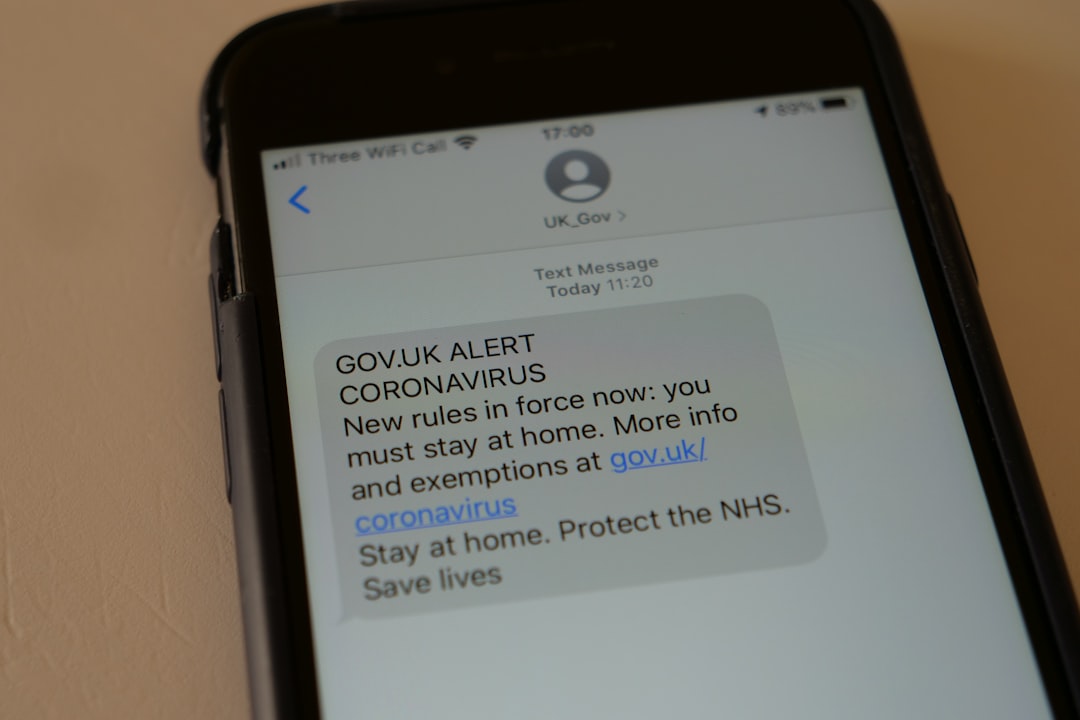


Text alerts are the most direct way to tell customers your farm stand is open and stocked. Emails get buried. Social media posts reach a fraction of your followers. But a text message gets read within 3 minutes by 90 percent of recipients. For a farm stand with changing inventory and irregular hours, a text alert that says "Fresh corn, tomatoes, and sourdough — stocked and ready at the stand" is the most effective single message you can send.
This guide covers how to build a text list, what to send, when to send it, and which tools to use — from free options to paid services.
The short version: Collect customer phone numbers at the stand using a signup sheet or QR code. Send one text per stocking event (1 to 3 texts per week). Keep each text under 160 characters, list your top 3 to 5 products, and include your hours. Use Google Voice (free) for small lists under 25 contacts, or a service like SimpleTexting ($29/month) for larger lists. The vendors who use text alerts consistently see 15 to 30 percent of their texted customers show up on stocking day.
| Channel | Open Rate | Time to Read | Cost | Best For |
|---|---|---|---|---|
| Text / SMS | 90%+ | Under 3 minutes | Free to $29/mo | Immediate "we're stocked" alerts |
| 20-40% | Hours to days | Free to $20/mo | Weekly updates, longer content | |
| Instagram post | 5-15% of followers | Hours | Free | Visual content, brand building |
| Facebook post | 3-8% of followers | Hours | Free | Community engagement |
The numbers are clear: if you want customers to know you are stocked right now, text is the channel. Email and social media are better for longer updates and brand building, but for the specific message "we're open and here's what we have," text is unmatched.
You cannot send text alerts to people who have not opted in. Building the list is the first step.
Even a list of 30 people is valuable. If 20 percent show up after a text (6 people) and each spends $15, that is $90 in sales directly attributable to the text.
The best farm stand text alerts follow a formula: what is available, when you are open, and a link for pre-orders. Nothing else.
Line 1: What is fresh / what is new Line 2: Hours today Line 3: Pre-order link (optional)
"Fresh today: sweet corn, heirloom tomatoes, basil, sourdough. Open Sat 8-2. Pre-order: [link]" (94 chars)
"Just stocked! Blueberries ($6/pint), eggs, zucchini, honey. Open til 2pm. Grab em before they go." (100 chars)
"Peaches are here! First of the season. Plus corn, peppers, jam. Sat & Sun 8-2. [link]" (86 chars)
"Sold out of tomatoes — back Thursday. Today: corn, squash, bread, pickles. Open til noon." (91 chars)
Timing depends on when you stock your stand and when customers typically visit.
The #1 reason people unsubscribe from text lists is too many messages. Under-send, not over-send.
Start with Google Voice if you have fewer than 25 contacts. Switch to a paid service when your list exceeds 50 or when you want features like scheduled sends and opt-in keywords. The jump from free to $29/month is justified when your text list generates more than $29 in additional weekly sales — which happens almost immediately.
Sending commercial text messages is regulated by the Telephone Consumer Protection Act (TCPA). The rules are straightforward:
For a small farm stand texting 30 to 200 local customers with their consent, compliance is simple. The issues arise when businesses buy phone number lists or text people who did not opt in — do not do either.
Text alerts become even more powerful when paired with a pre-order system. The combination works like this:
This model eliminates two problems at once: the text alert drives traffic, and the pre-order link converts that traffic into guaranteed revenue before the market day even starts. On rainy days, pre-order customers still come. On slow days, you have already sold a baseline before opening.
The question is what to put at the end of that text. Linking to Instagram DMs means manual back-and-forth confirming orders — which defeats the speed advantage of a text alert. Square Online charges percentage fees on every order and is built for full e-commerce, not a simple product list with a cutoff time. Homegrown costs $10/month with no percentage fees beyond standard payment processing (2.9 percent plus $0.30 per transaction) and gives you a short ordering link to drop into your text alerts. Customers tap the link, see your product list, order, and pay — all within a minute of reading the text. Homegrown does not send the text alerts for you, manage your contact list, or handle keyword opt-ins — it gives you the ordering page that makes every text alert end in a sale instead of a maybe.
For the full setup on pre-order systems, see our farm stand pre-order system guide. For handling slow days where walk-up traffic disappears, see our guide on handling rainy days and slow traffic.
Different seasons call for different text approaches.
Focus on excitement and first-of-season products. Customers have been waiting all winter.
"We're OPEN for the season! First strawberries of 2026 plus lettuce, radishes, and herb starts. Sat 8-2. [link]"
Peak season, peak variety. Highlight what is freshest and rotate your featured products each text.
"Just picked: sweet corn, heirloom tomatoes, peaches, basil. Everything goes fast — come early. Open 8-2."
Create urgency with end-of-season language. Customers know the clock is ticking.
"Last tomatoes of the season + butternut squash, apples, pumpkins, apple butter. Open Sat & Sun 9-2."
One final text to close the loop and set up next year.
"Last weekend of the season — thank you for an amazing year! Sign up for 2027 alerts at [link]. See you in spring."
This text preserves your list through the off-season and sets expectations for next year.
Track these numbers monthly to see if your text alerts are working:
A healthy farm stand text list grows by 5 to 10 contacts per week, has a show-up rate of 15 to 30 percent, and an unsubscribe rate below 2 percent per month.
The simplest method: on text days, count your total customers and compare to non-text days at the same time and weather conditions. If you typically get 20 customers on a Saturday without a text and 28 with a text, your text-driven uplift is about 8 customers. Multiply by average order size and you have the revenue directly attributable to the text alert.
If you sell through an online ordering system, the data is automatic — pre-orders placed within 24 hours of a text alert are directly attributable. This is another advantage of linking your text alerts to a pre-order page: the connection between the text and the sale is trackable, not estimated.
Stay free (Google Voice) until:
At $25 to $29 per month, a paid service pays for itself if it generates just 2 additional customer visits per month at a $15 average order. For most farm stands with 50+ contacts, the math is obvious.
More than 2 per week is aggressive for a farm stand. One per stocking event is ideal. If you stock daily, pick the 1 to 2 best days per week and text only on those days.
Text (SMS) reaches everyone with a phone. Apps require the customer to download something, which adds friction. Stick with SMS for the broadest reach.
Yes, but with caveats. Photo texts (MMS) cost more on paid platforms, take longer to load, and may not display properly on all phones. A well-written text without a photo is more effective than a blurry photo of your produce. If you want visual content, post photos on social media and keep texts text-only.
Remove them immediately, no questions asked. A polite response: "You've been removed from the list. Thanks for being a customer — you're always welcome at the stand."
Yes. They serve different purposes. Text for immediate "we're stocked" alerts. Email for longer weekly updates, recipes, and seasonal announcements. Most customers prefer text for time-sensitive information and email for everything else. See our email list for farm stands guide for the email side.
That is the math for a farm stand with 30 contacts and a 20 percent show-up rate at $15 average order. Scale it to 100 contacts and the same text generates 20 customers and $300 in sales. The text takes 30 seconds to write and costs nothing to send on Google Voice. No other marketing channel delivers this kind of return on investment for a local food business. An ordering page captures customer contact info automatically with every order, which means your text list grows without you asking — every new customer is a future text alert recipient. The IRS recordkeeping guide covers documentation requirements that your text-driven sales data helps satisfy, and the SBA's business growth guide has additional marketing strategies for small businesses.



