

For a local home food vendor, a Facebook business page is one of the most useful free tools you can set up. It puts your products in front of your community, lets people find and message you, builds the reviews that earn trust, and plugs you into the local groups where neighbors ask for exactly what you make. Setting it up well takes an hour, and using it consistently is what turns followers into orders. This guide walks through setting up a Facebook business page for food vendors, what to post, and how to turn all that attention into actual sales.
The short version: A Facebook business page is a free, powerful way for a local food vendor to reach your community, show your products, gather reviews, and take interest that turns into orders. Set it up completely, name, photos, contact info, and a link to your storefront, then post real photos consistently and get active in local buy-and-sell groups. Keep your marketing honest, since the FTC requires advertising and reviews to be truthful, and remember Facebook is where people discover you, while a proper storefront is where you should take the actual orders rather than losing them in message threads. Homegrown gives you the storefront your Facebook page links to. This is general information, not legal advice.
This guide covers why a Facebook page helps, how to set it up, what to post, building trust and reviews, turning followers into orders, and mistakes to avoid. This is general information, not legal advice.
You use a Facebook business page because it's a free, local, discovery-friendly tool that reaches your community, builds trust through reviews, and connects you to the neighborhood groups where people look for homemade food. It meets local customers where they already are.
Why it works for food vendors:
The takeaway: a Facebook business page is a free, local tool that drives discovery, builds trust, and connects you to community groups. The rule is to use it as your local discovery engine, feeding customers to your storefront, an extension of starting a cottage food business and learning how to sell food from home.
You set up your page by creating it as a business page, completing every field, adding great photos, and linking to your storefront, so it looks professional and makes ordering easy. A complete page earns trust; a half-finished one loses it.
How to set it up well:
The takeaway: a complete, professional page with great photos and a storefront link earns trust and makes ordering easy. The rule is to finish every field and link your storefront, since a complete page is what converts a browser into a buyer.
You should post real photos of your products, behind-the-scenes moments, customer love, events, and seasonal drops, consistently, so your page stays active and appetizing. Consistency and real photos beat polish.
Here's a simple weekly posting mix to work from:
| Post type | How often | Purpose |
|---|---|---|
| Product photo | 2-3x per week | Drive cravings and orders |
| Behind the scenes | Weekly | Build connection and trust |
| Customer love or review | Weekly | Provide social proof |
| Event or drop announcement | As needed | Create urgency and timely orders |
What to post:
The takeaway: post real product photos, behind-the-scenes moments, customer love, and event announcements consistently, always with a clear way to order. The rule is to keep the page active and appetizing, and to point every post toward your storefront.
You build trust with honest marketing, genuine reviews, and responsive, friendly engagement, since trust is what turns a local browser into a customer. Authenticity is both the right approach and the effective one.
How to build trust:
The takeaway: honest marketing, genuine reviews, and warm, responsive engagement build the trust that drives local sales. The rule is to keep everything authentic, since real reviews and honest claims are both required and far more effective than anything fake.
You turn followers into orders by sending them to a real storefront to order, rather than trying to run your business through message threads. Discovery happens on Facebook; ordering should happen on your storefront.
How to convert:
The takeaway: convert followers by sending them to a storefront to order, not by juggling message threads. The rule is to let Facebook drive discovery and your storefront handle the orders, a cleaner setup than any DM-based selling.
The biggest mistakes are an incomplete page, inconsistent posting, running orders through DMs, and dishonest marketing. Each is avoidable.
Mistakes to avoid:
The takeaway: the mistakes that matter most are an incomplete page, inconsistent posting, DM-based orders, and dishonest marketing, all avoidable. The rule is to complete your page, post consistently, send orders to a storefront, and keep marketing honest.
A Facebook page is where local customers discover you, and a storefront is where they should order, so the two work best together. That's exactly what Homegrown provides.
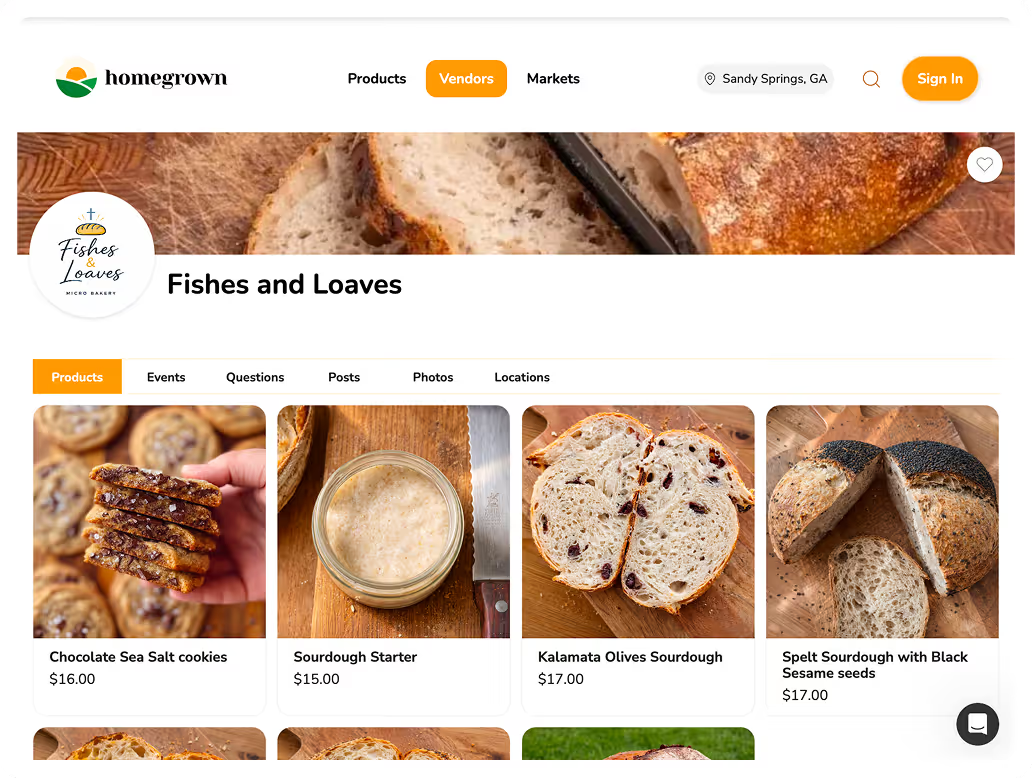
Homegrown gives you an online storefront to link from your Facebook page, so followers can order and pay in a click instead of in a message thread, all for a flat $10 a month with no percentage fees beyond standard payment processing. For a vendor building a local following, running orders through DMs loses sales and sanity, and a marketplace would take a percentage of every order Facebook sent you. A general website builder wasn't made for taking food orders with pickup and delivery. Homegrown bundles the storefront, order management, and payment into one flat rate, so the audience you build on Facebook turns into clean, trackable orders that are entirely yours. It won't suit everyone, if you sell a little to friends for cash, you may not need a storefront yet, but the moment your Facebook page is bringing you real orders, a flat monthly rate beats losing sales in your messages or a percentage to a marketplace.
Ready to turn Facebook followers into orders? Set up your Homegrown storefront and link it from your page.
You don't strictly need one, but it's one of the most useful free tools for a local food vendor. A business page reaches your community, builds trust through reviews, connects you to local buy-and-sell groups, and lets people discover and message you. Selling homemade food is a direct-to-consumer business, and Facebook is where many local customers first find vendors.
Create a dedicated business page rather than using a personal profile, then complete every field: business name, category, description, hours, service area, and contact info. Add a clear profile image and an appetizing cover photo, list your products, turn on messaging with a friendly auto-reply, and add a button linking to your online storefront so followers can order easily.
Post real, appetizing photos of your products, behind-the-scenes baking and prep, customer photos and reviews (with permission), and announcements of markets, pop-ups, and seasonal drops. Tie posts to holidays when demand spikes, keep a consistent posting rhythm so the page stays active, and always include a clear call to action with a link to your storefront.
You can, but you shouldn't rely on it. Managing orders through scattered message threads is error-prone and quietly loses sales. The better approach is to use Facebook for discovery and engagement, then send customers to a real online storefront where they can order and pay in a click. Facebook drives interest; a storefront handles the transaction cleanly.
Yes. The FTC requires that advertising be truthful and not deceptive, so describe your products accurately and never make claims you can't back up. Reviews must be genuine; posting fake reviews or paying for dishonest ones violates FTC rules. Honest marketing isn't just required, it's also far more effective at building the local trust that drives sales.
Ask happy customers to leave an honest review after a good experience, since genuine reviews are powerful social proof. Respond to every review, including any critical ones, promptly and graciously. Consistently delivering great products on time is what earns the reviews and referrals that grow a local following. Never post or solicit fake reviews, which violate FTC rules and destroy trust.